Tenant Details
About
You get to the Tenant Details when creating a new Tenant or when editing an
existing Tenant. Here you can set multiple parameters regarding the selected
Tenant.
Anatomy
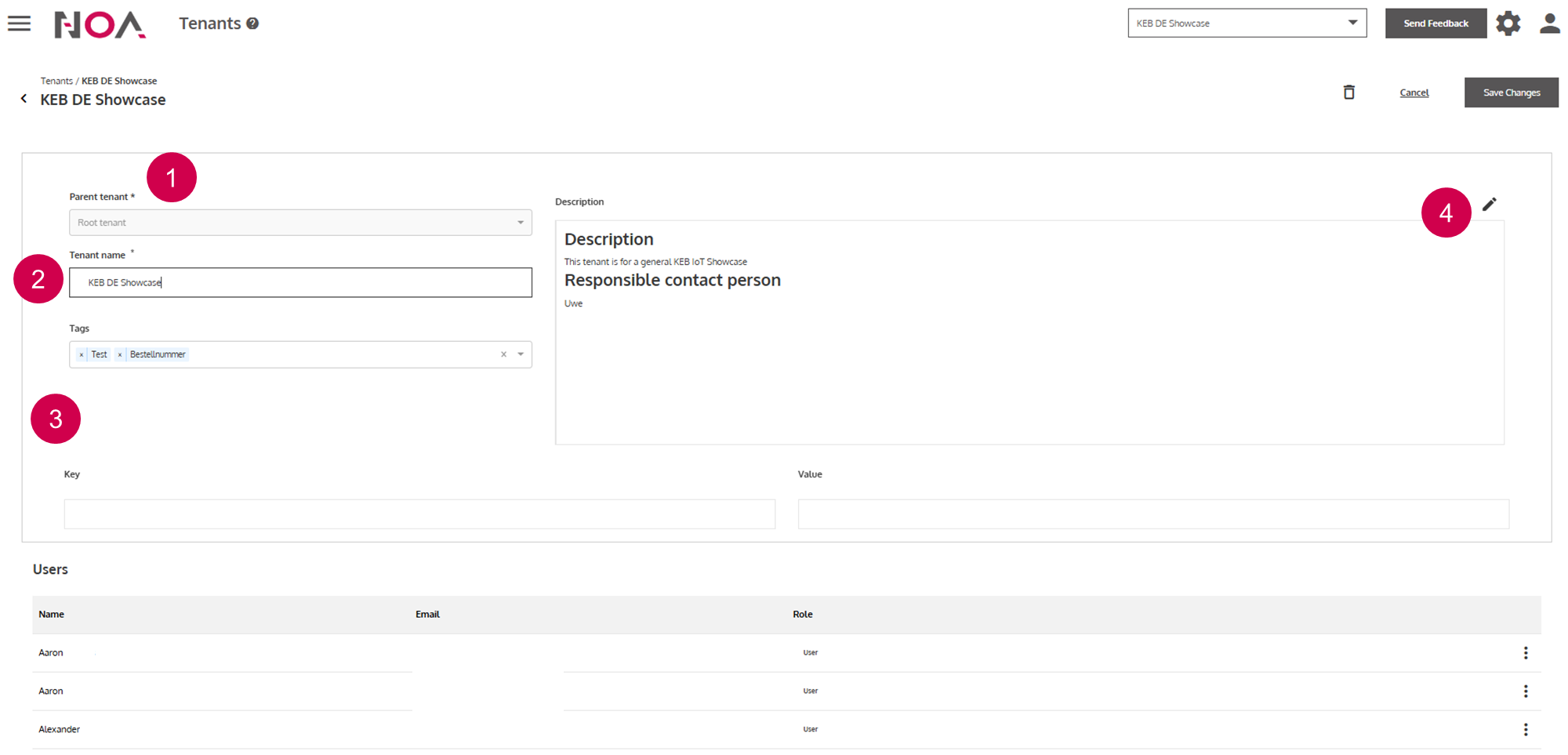
- Parent Tenant
Name
- Tenant Tags
Open information box
Tenant Key Value Pairs
Key value pairs of your Tenant appear in the Metrics.json. Use this feature to add billing relevant information to Tenants.
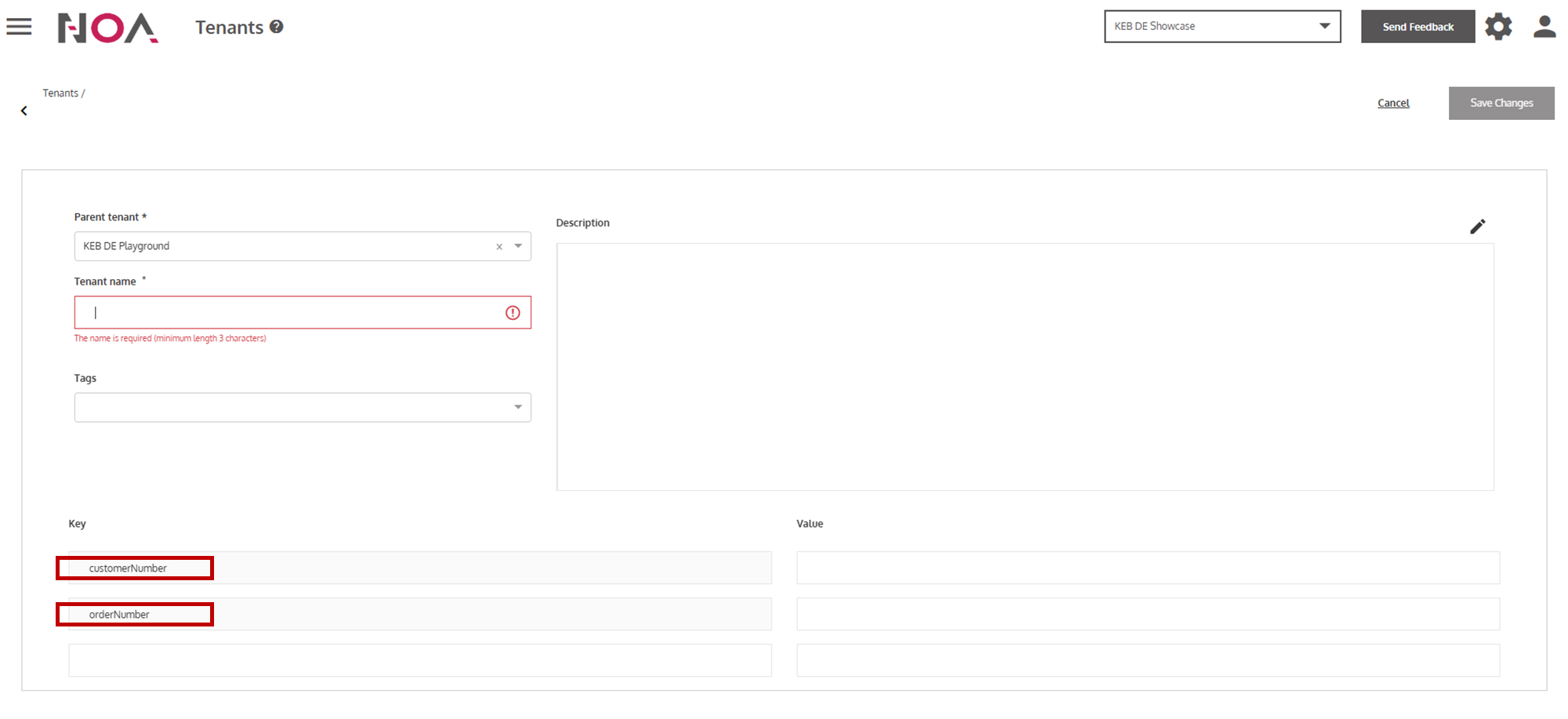
When creating a new tenant, you can see that there are two keys predefined with no value: customerNumber and orderNumber (see below). These keys are
only relevant when you are a direct customer of KEB Automation. They use these keys for internal billing processes. If you are not a direct customer of KEB Automation,
then you can leave the values of these keys empty.
Tenant Users
Below the Tenant Details is a table of all users that have access to the Tenant.
Anatomy
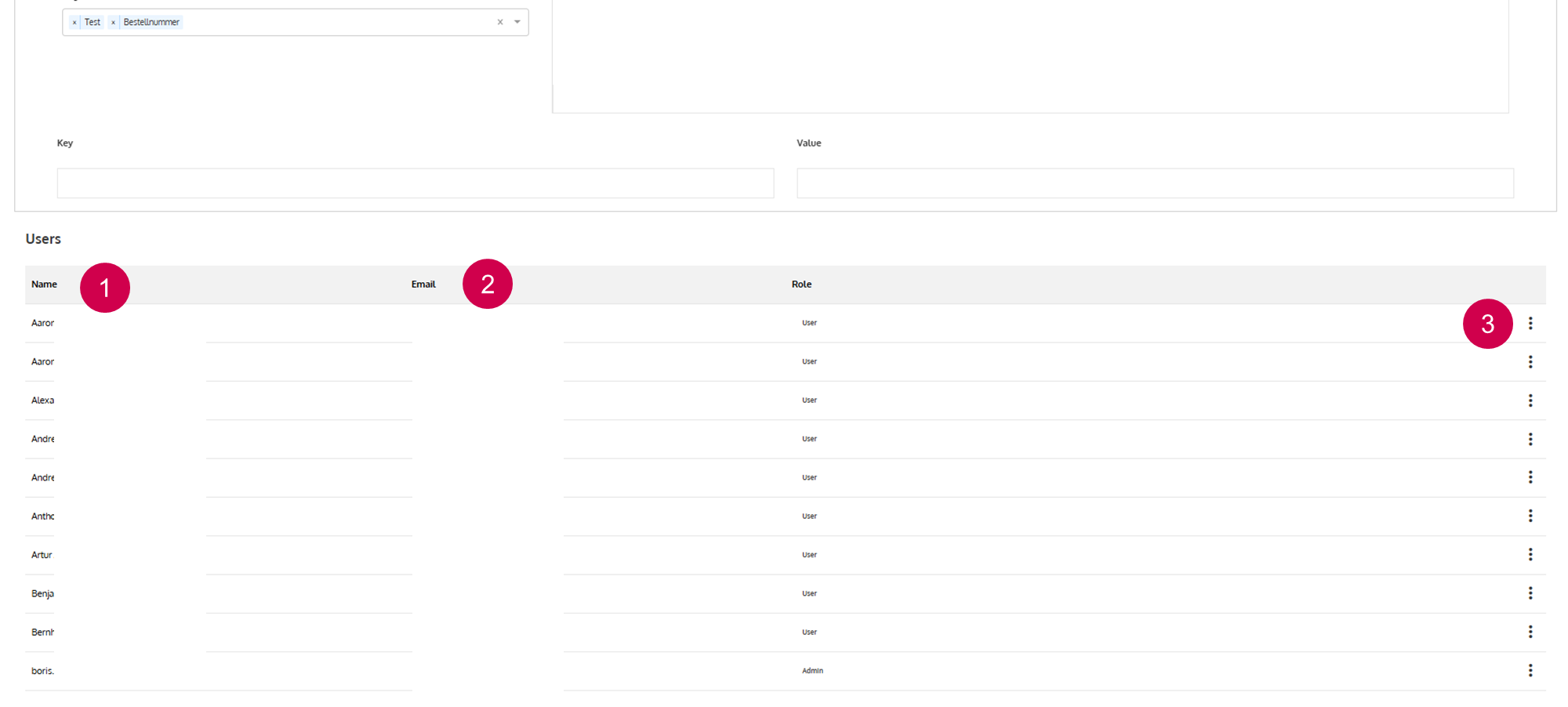
Name
Mail address
Edit or remove a user (see below)
You are able to view users or remove them from the Tenant. After removing a
user from a Tenant, the user has to be reinvited to the Tenant to be able to
access it again. See here for more information regarding User Management.