Tile Configuration
About
In the Tile Configuration tab, you can change existing or add new Tiles. The
parameters of a Tile are explained below.
Anatomy
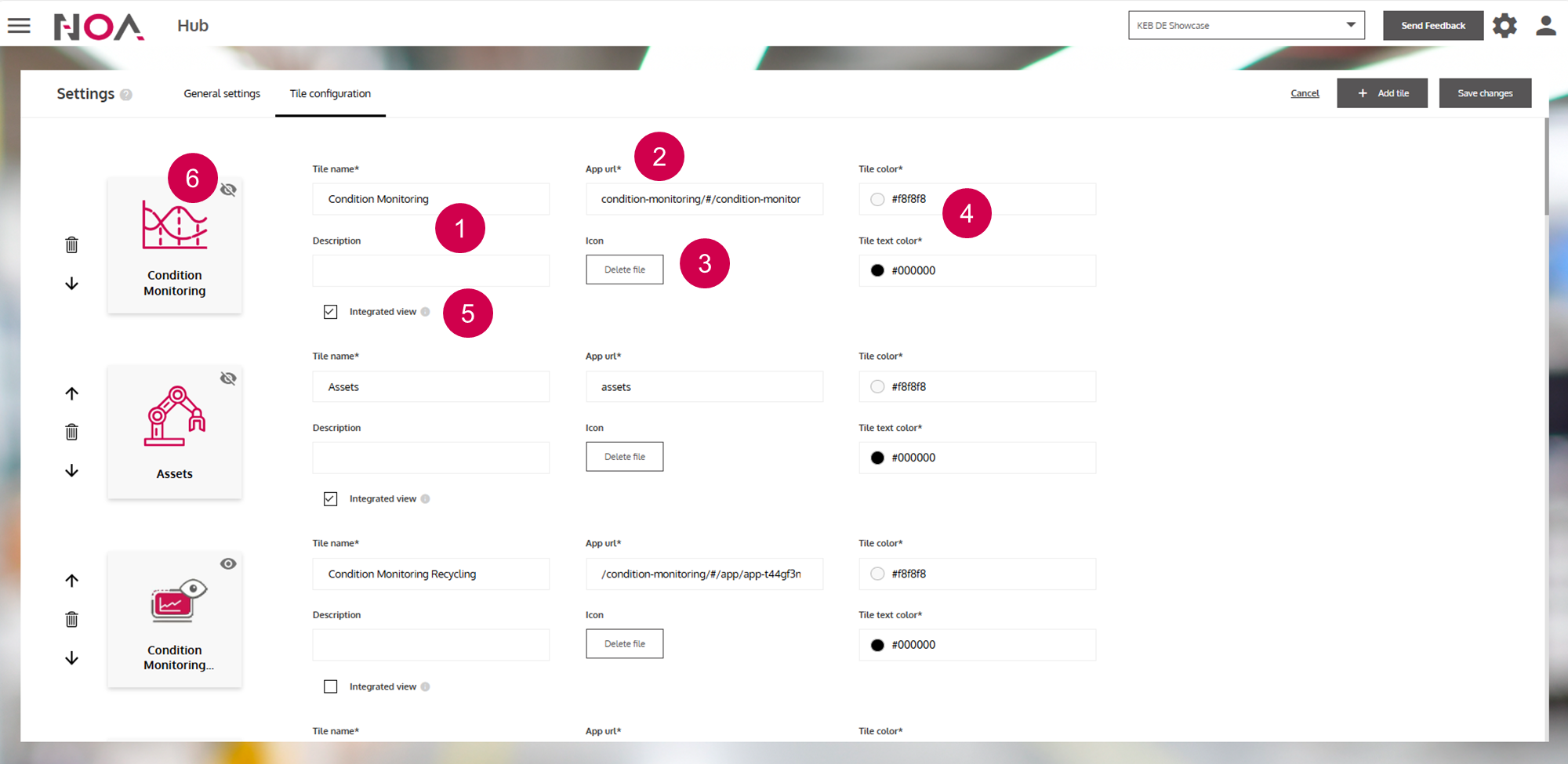
Name and sub text
URL that this
Tileleads toDisplayed image
Background and text color
Integrated View(see below)hide the
Tile
Integrated View: This means that the Header is displayed when opening
the URL of the Tile. Also, the URL displayed in your browser does not contain
the original URL of the Tile, e.g.
https://iot.keb-automation.com/hub/#/integrated-tile-view/14 instead of
https://www.keb-automation.com/de/. This is useful for when you want to
display external web resources as integrated into NOA Portal.