Add Device
About
Adding a Device means registering it to your Tenant. After that, you can manage it in NOA Portal.
Preparation
Before you can add your Device to the Tenant, you need to complete these preparatory steps:
- the computer (that you are using to access
NOA Portal) and yourDeviceneed to be in the same network - the computer and the
Deviceneed to have internet access - start the
Pairing Modeof yourDevice
Pairing Mode
- To enable
Pairing Mode, restart yourDevice(„switch it off and then on“) - You will only see if this worked, when the
Deviceis successfully added toNOA Portal Pairing Modelasts five minutes. You need to add theDevicewithin this time frame toNOA Portal
Add Device Dialog
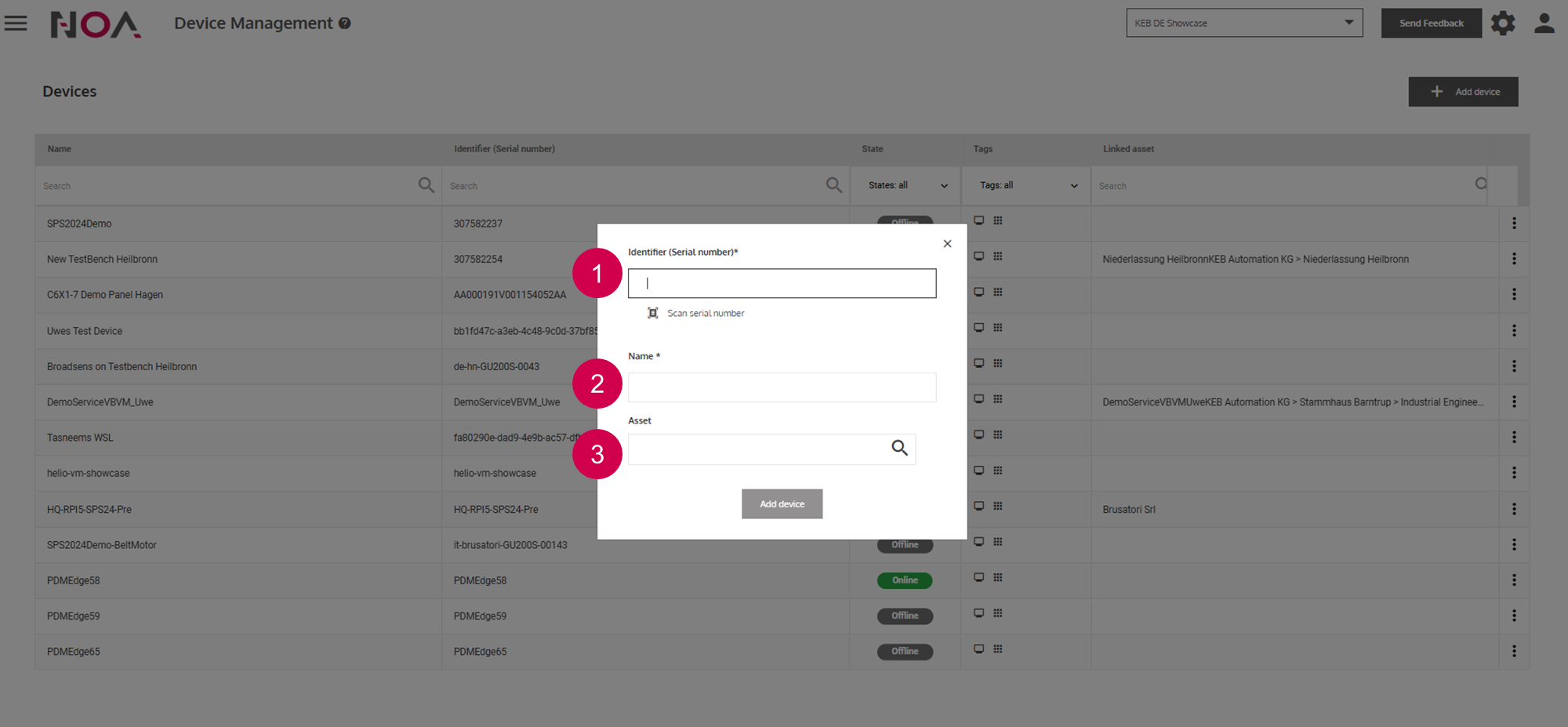
Device ID. Usually, this is the serial number (S/N) that is printed on a label on yourDevice.Enter a name
Choose an Asset that this
Deviceis allocated to (optional)