Asset Details
About
The Asset Details are displayed when creating a new Asset or editing an
existing Asset.
Anatomy
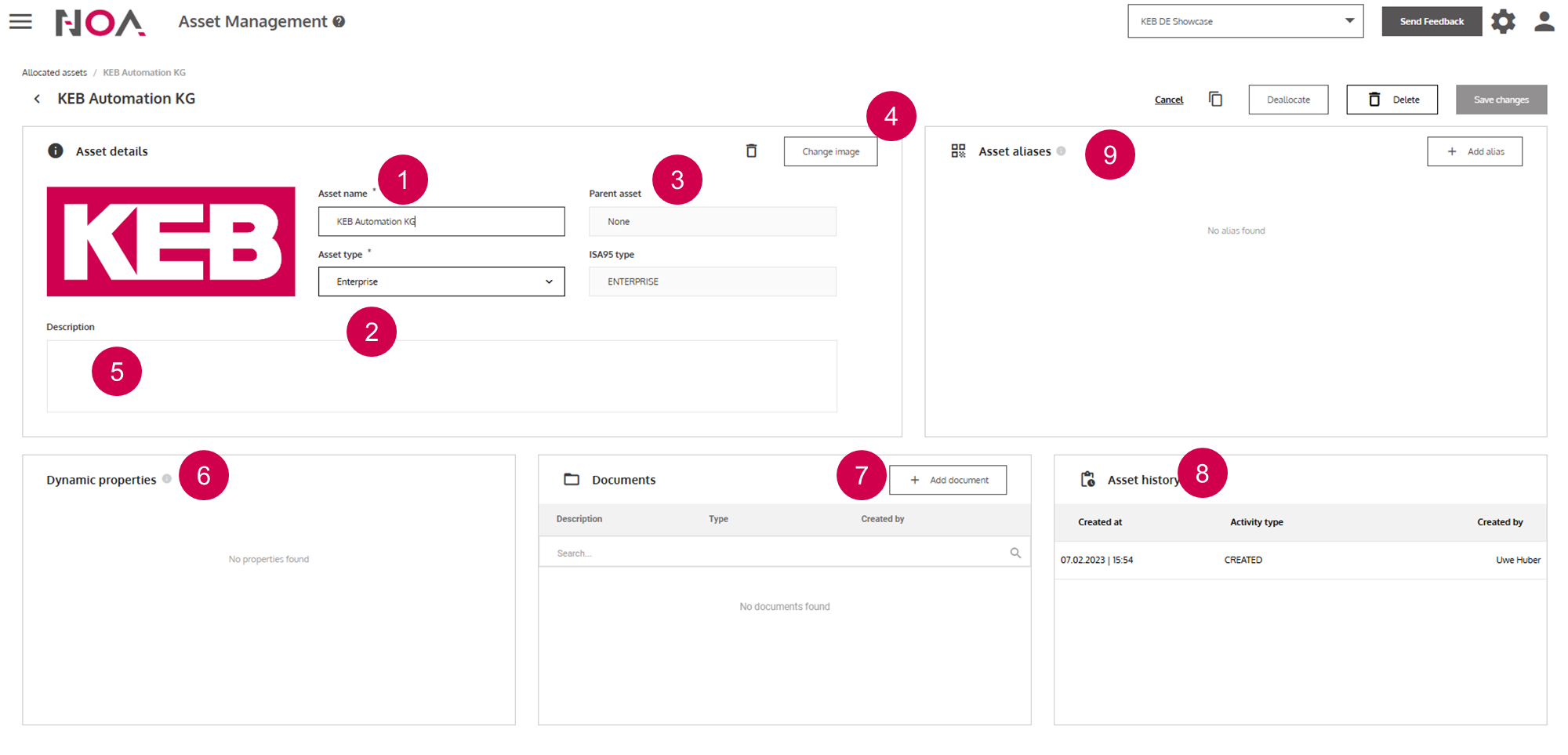
Display name of your
Asset- Asset Type
Parent Assetand ISA95 Type are automatically filled based on the asset typeUpload image for your
AssetEnter information freely
Dynamic Properties based on the
Asset TypeUpload documents of your
AssetTrack changes to your
AssetAsset Aliases: General or QR code (see below)
Asset Aliases:
- General: Define an alternative name for your
Asset; this is relevant when you want to use the search function to better find yourAssets - QR-code: you can create a QR code for your
Asset. The QR code contains the URL to navigate to thisAssetin theAsset Management