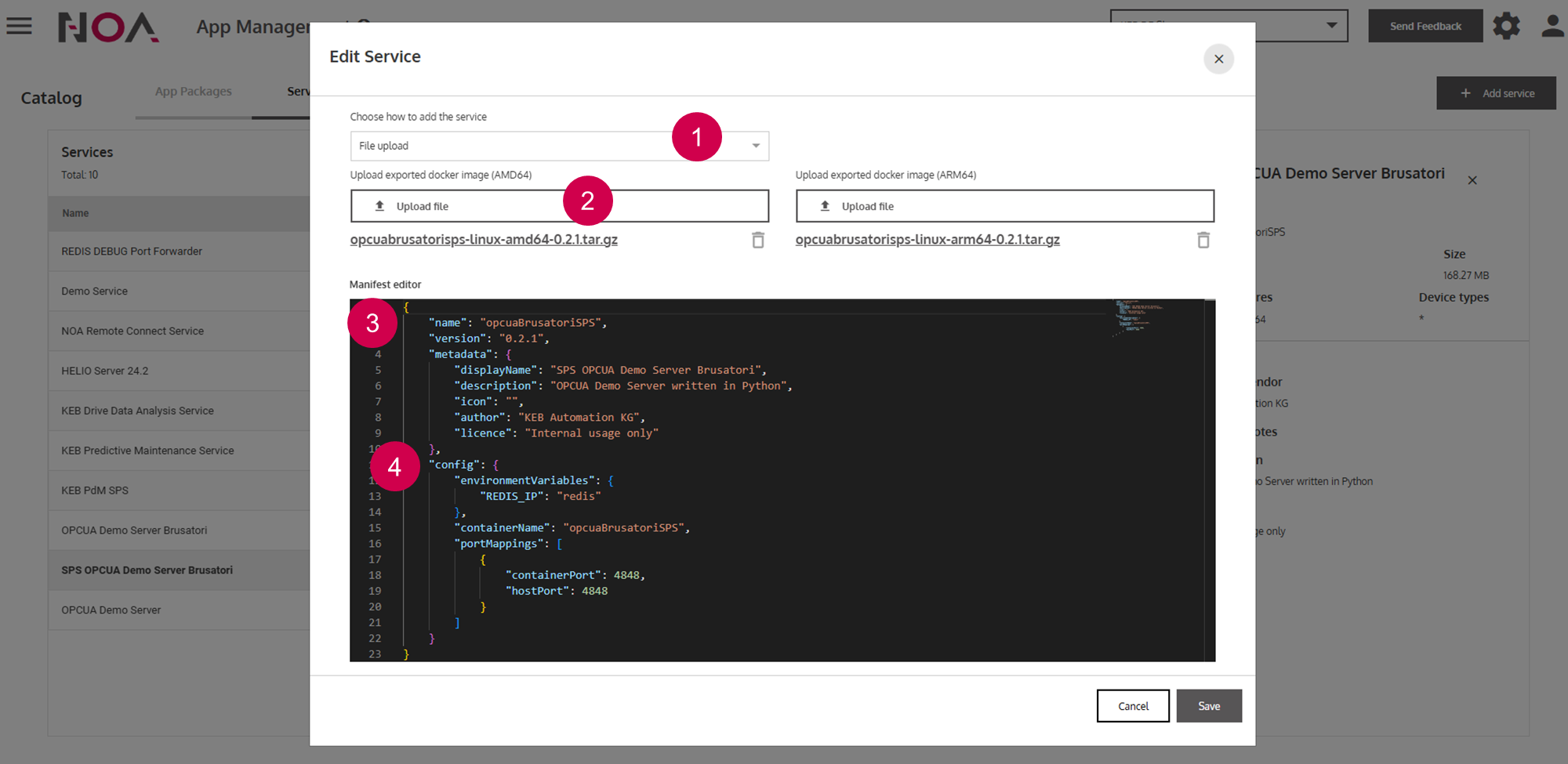
ReferenceApp CatalogServicesService DetailsOn this pageService Details About When adding a new Service, the Manifest editor opens up. Here, you need to specify properties of your Service, e.g. the displayed name. An example Manifest is posted below that you can use as a template when adding your Service. Anatomy Select between File upload (local Docker Image) or pulling the Docker Image from a registryUpload Docker ImageSpecify name and version of ServiceSpecify config parametersPress Save to create the Service