Services
About
Here you can upload Docker Images as Services to your Tenant. Services can be
uploaded as Docker files from your computer or from a registry (e.g. Docker Hub).
Keep in mind that you need to upload your Service for the correct architecture
of your Device (AMD64 or ARM64). This documentation assumes that you know
how to create a Docker file. Please refer to other resources (e.g. Docker Docs))
when you want to learn more about that.
Anatomy
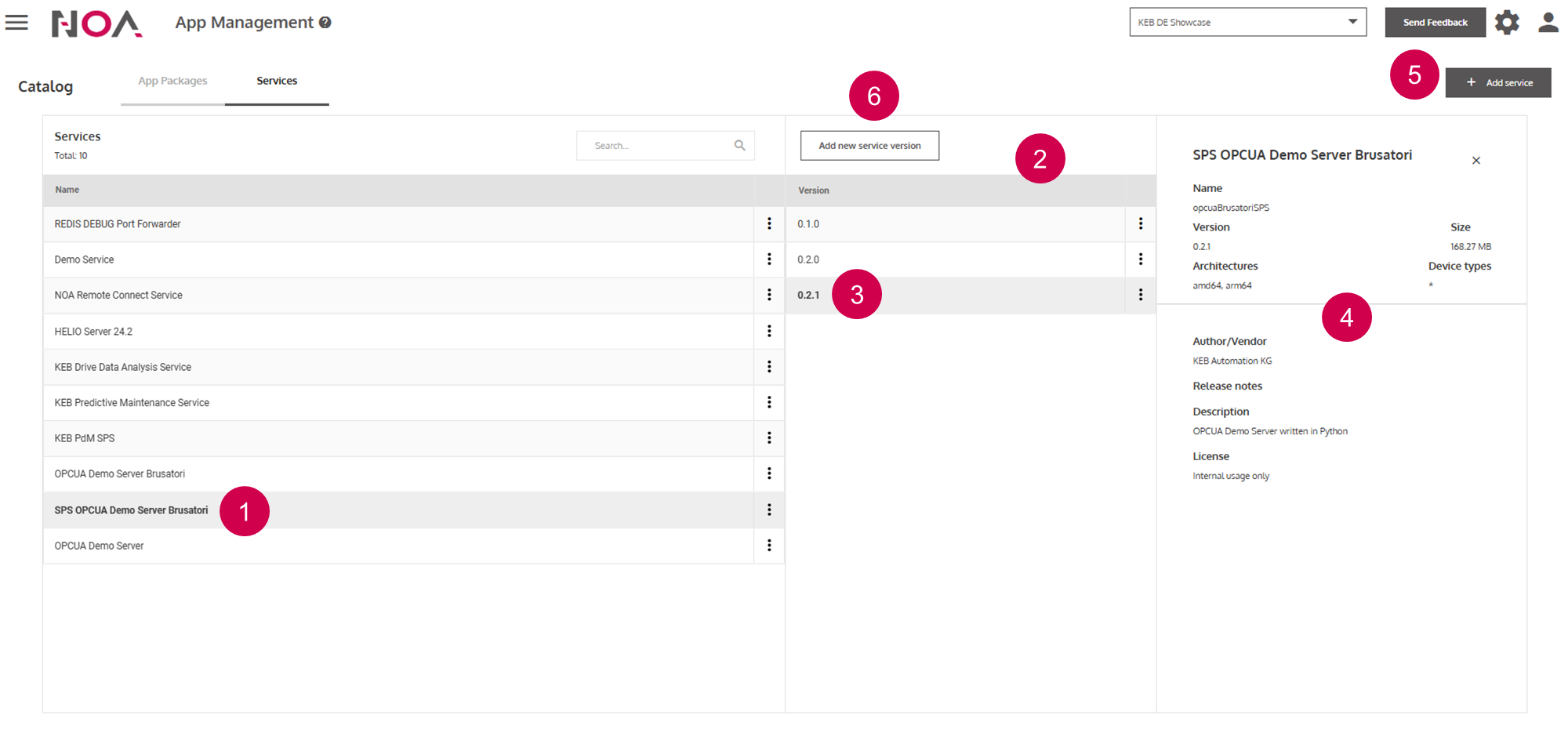
Open Service Details
List of the versions of this
ServiceOpen version details
Details for the version of this
ServiceAdd Service(see Service Details)Add new Service version(see below)
Add new Service version:
This is similar to adding a new Service. The main difference is that when
adding a new version, the Manifest will be prefilled with the content of
the previous Manifest of this Service. You only need to specify a new
version number and you need to provide the Docker Images for the new
version.