App Packages
About
Anatomy
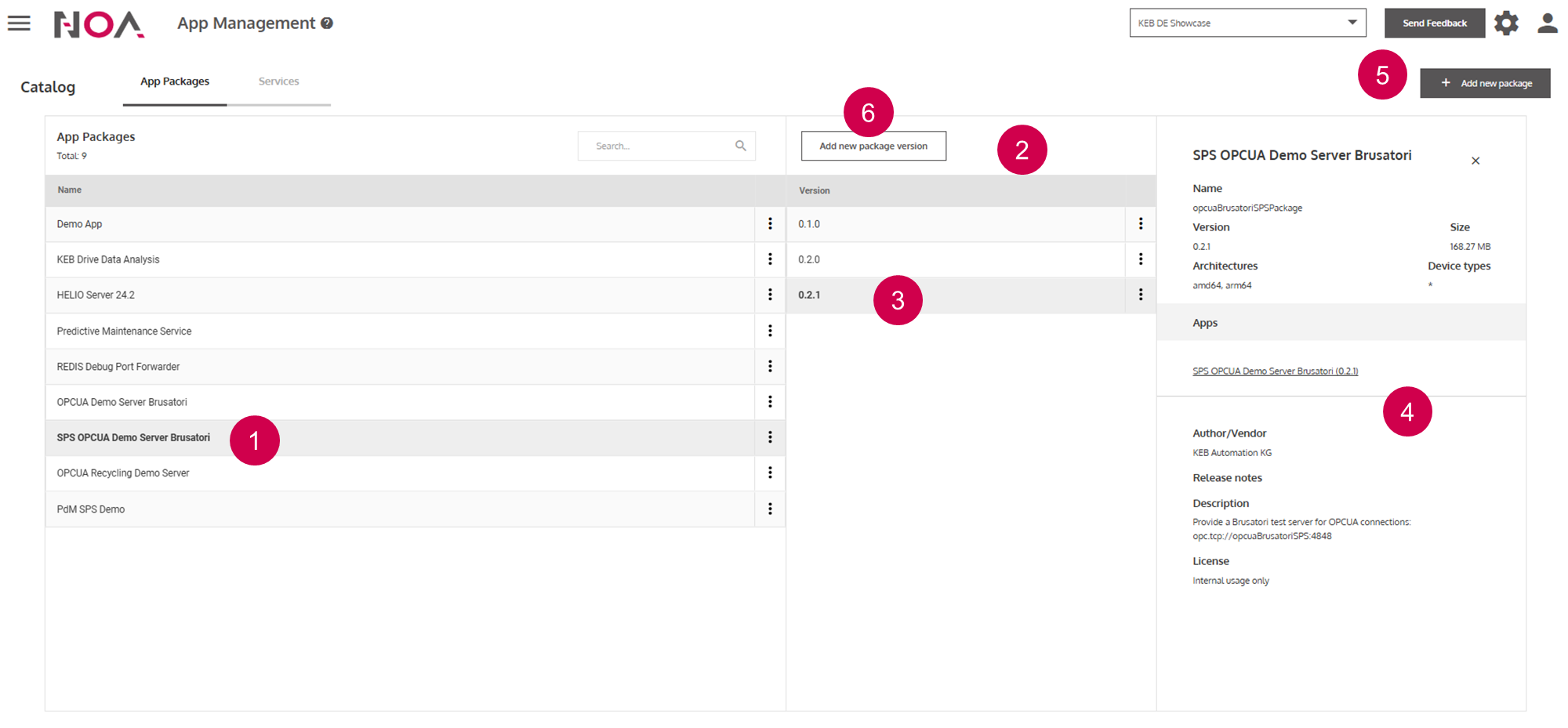
Open
App Package DetailsList of the versions of this
App PackageOpen version details
Details for the version of this
App PackageAdd App PackageAdd new App Package version(see below)
Add new App Package version:
This is analogous to adding a new Service version.
Example manifest for App Package
Below is an exemplary Manifest shown that you can use as a template when adding
an App Package.
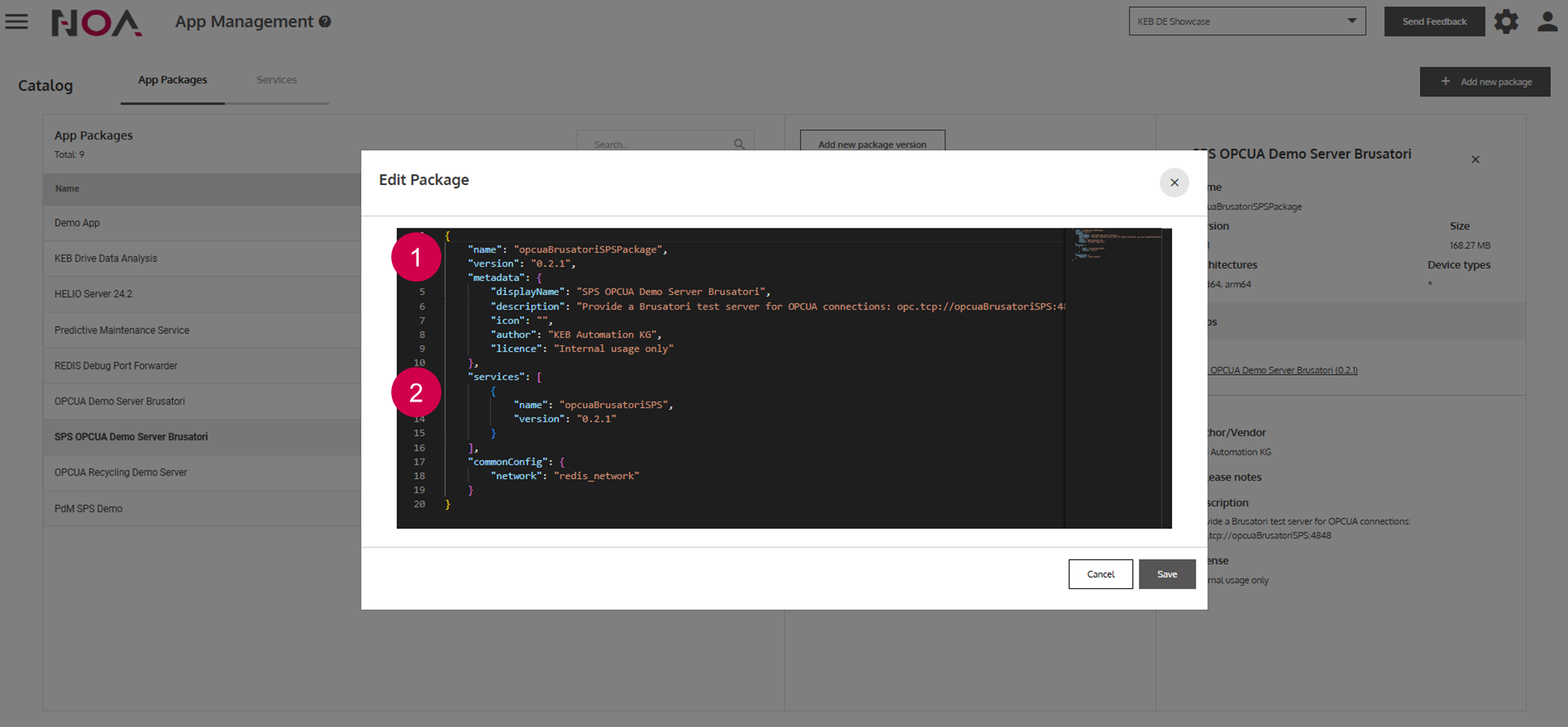
Specify name and version of
App PackageSpecify name and version of
Servicesthat you want to include
Note: You always need to create an App Package of your Services. Even if
your App Package only contains one Service. Otherwise you cannot deploy it on
your Device.