General Tab
About
When creating a new Board (or editing a Board) you start on the General Tab and need to enter information.
'Details' Field
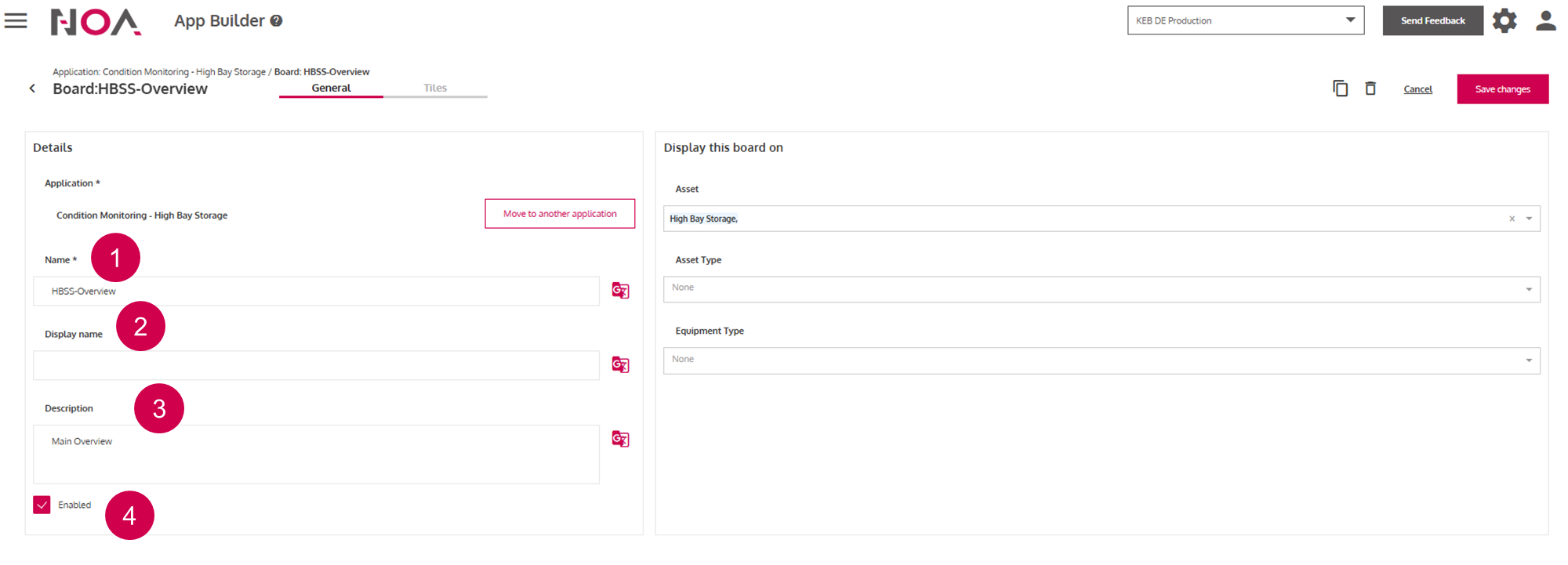
Name of the
Board(required)This name is displayed in a tab
Text field for entering a description of the
BoardToggle whether you want to display this
Board
'Display this Board on' field
Note: You need to enter information into at least one of these three fields.
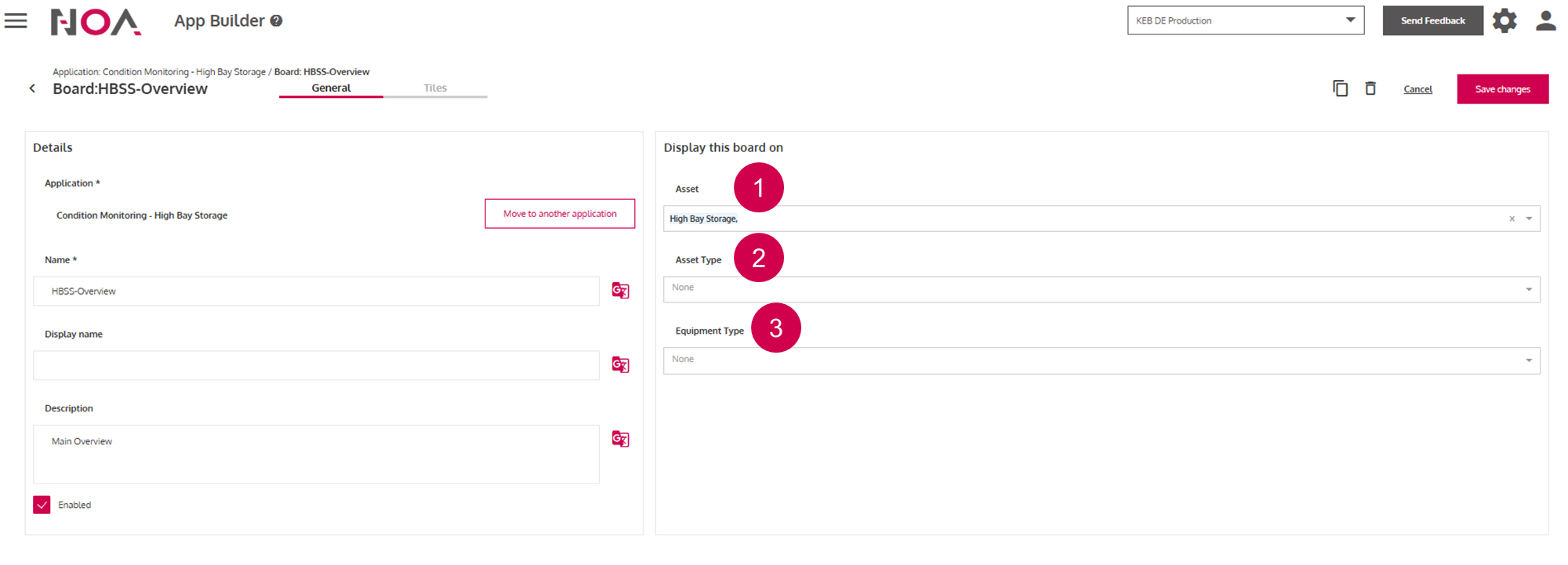
Select Assets that you want to display this board on
This
Boardis displayed on allAssetsof this Asset TypeThis
Boardis displayed on allAssetsof thisEquipment Type