Dashboard Details
About
Here you can edit your Dashboards.
Anatomy
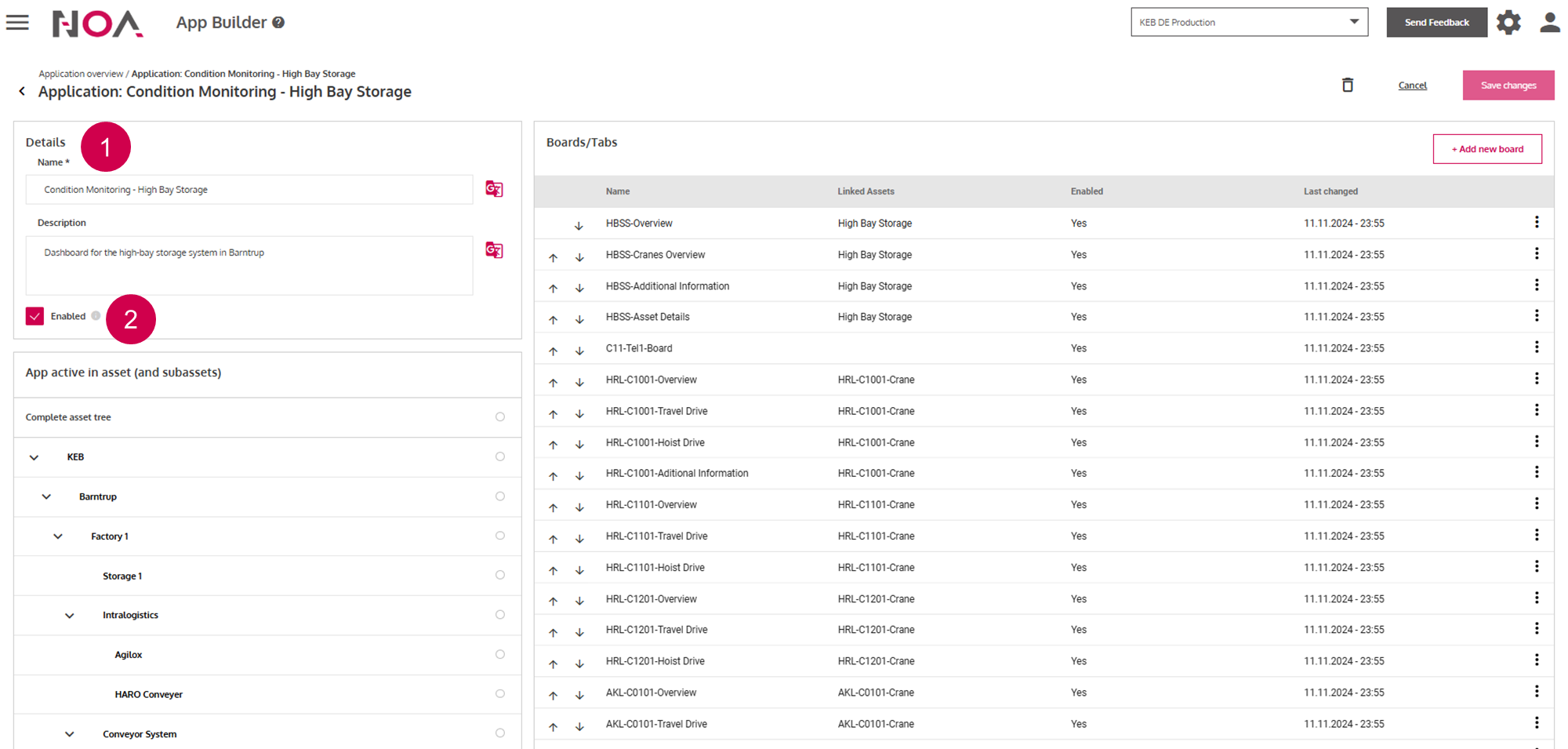
Add Boards to the Dashboard
After saving the Dashboard, click on Add new board to add Boards to your Dashboard to display information. You are able to display multiple Boards for an Asset.
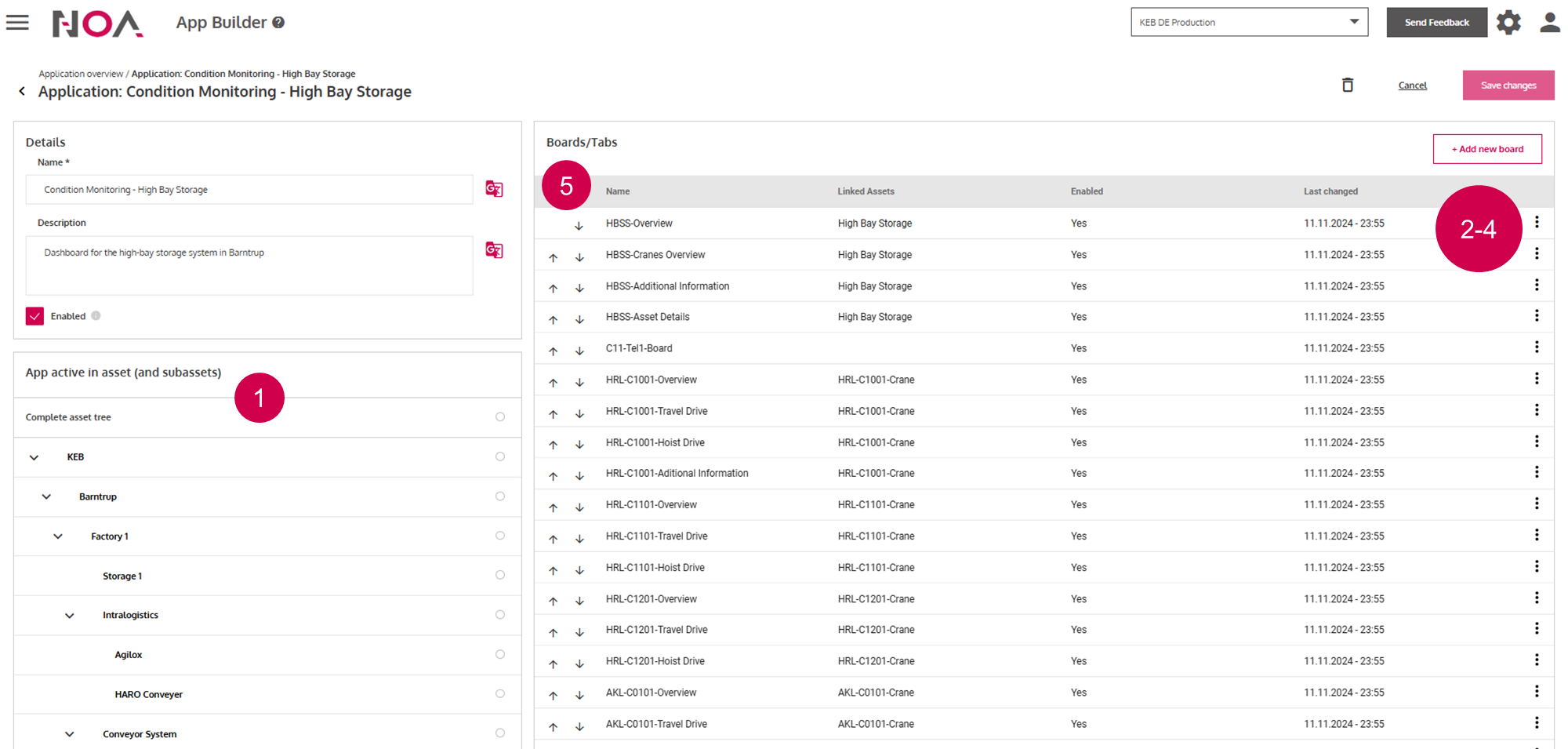
Select the
Assetsthat you want to displayBoardsforEdit
BoardsMove
Boardsto a differentDashoardDelete
BoardsChange order of the
Boards
When changing the order of the Boards: this will also change the order in which
Boards are displayed on the Dashoard.