Create an Asset
You can create Assets, so you are able to display information about them. E.g. you can build a Dashboard with the App Builder
and display data (velocity of a motor, ...) of that Asset.
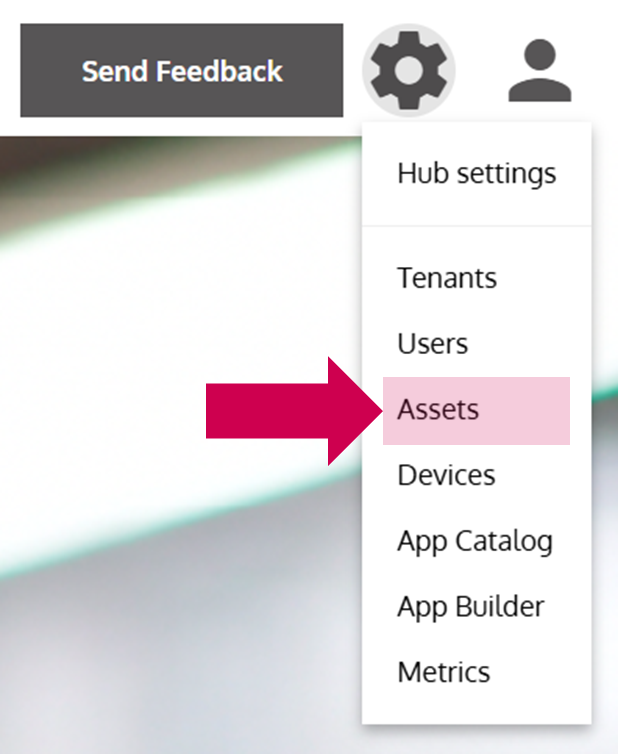
- Open the Asset Management
… via the Options Menu by clicking on Assets.
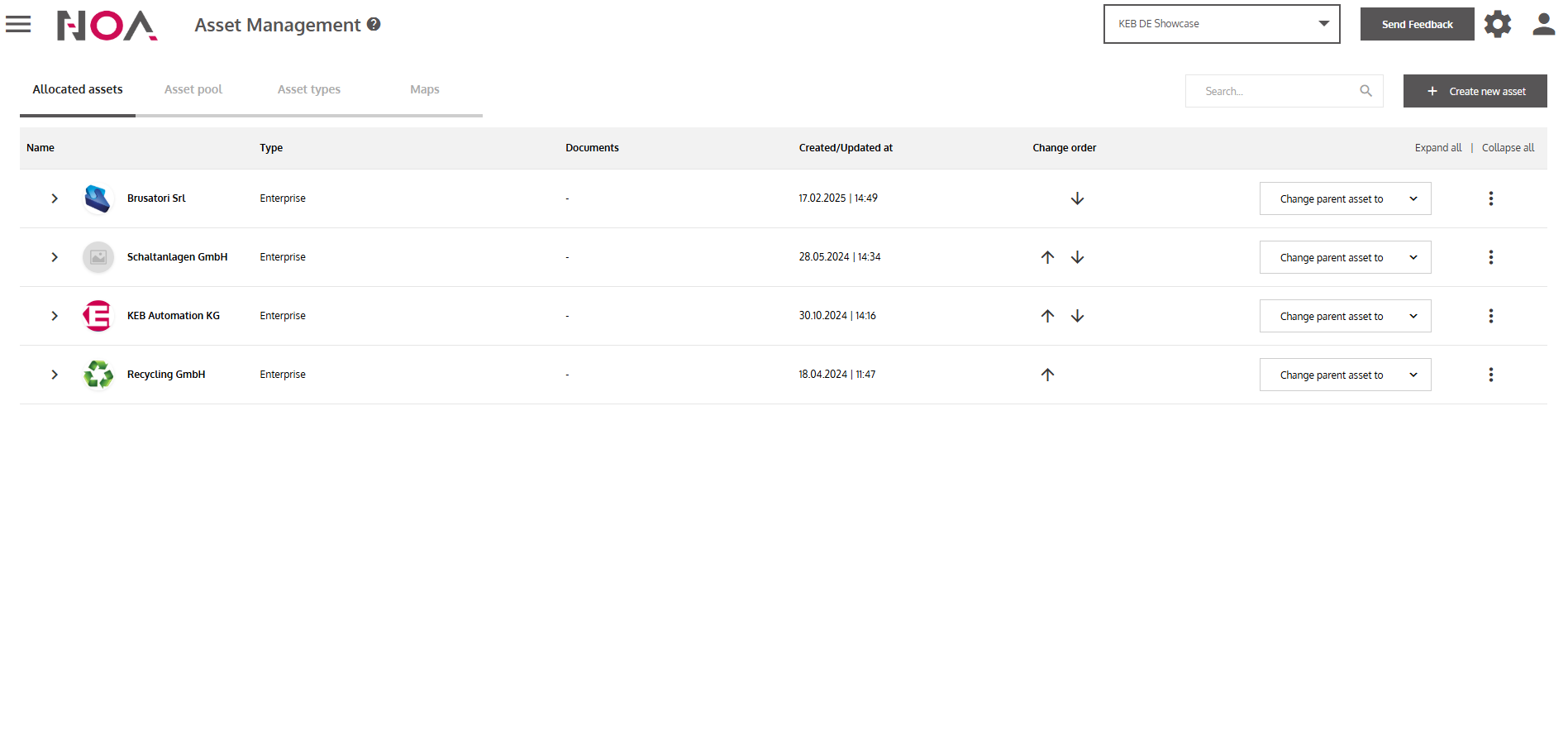
- Click on Create new asset
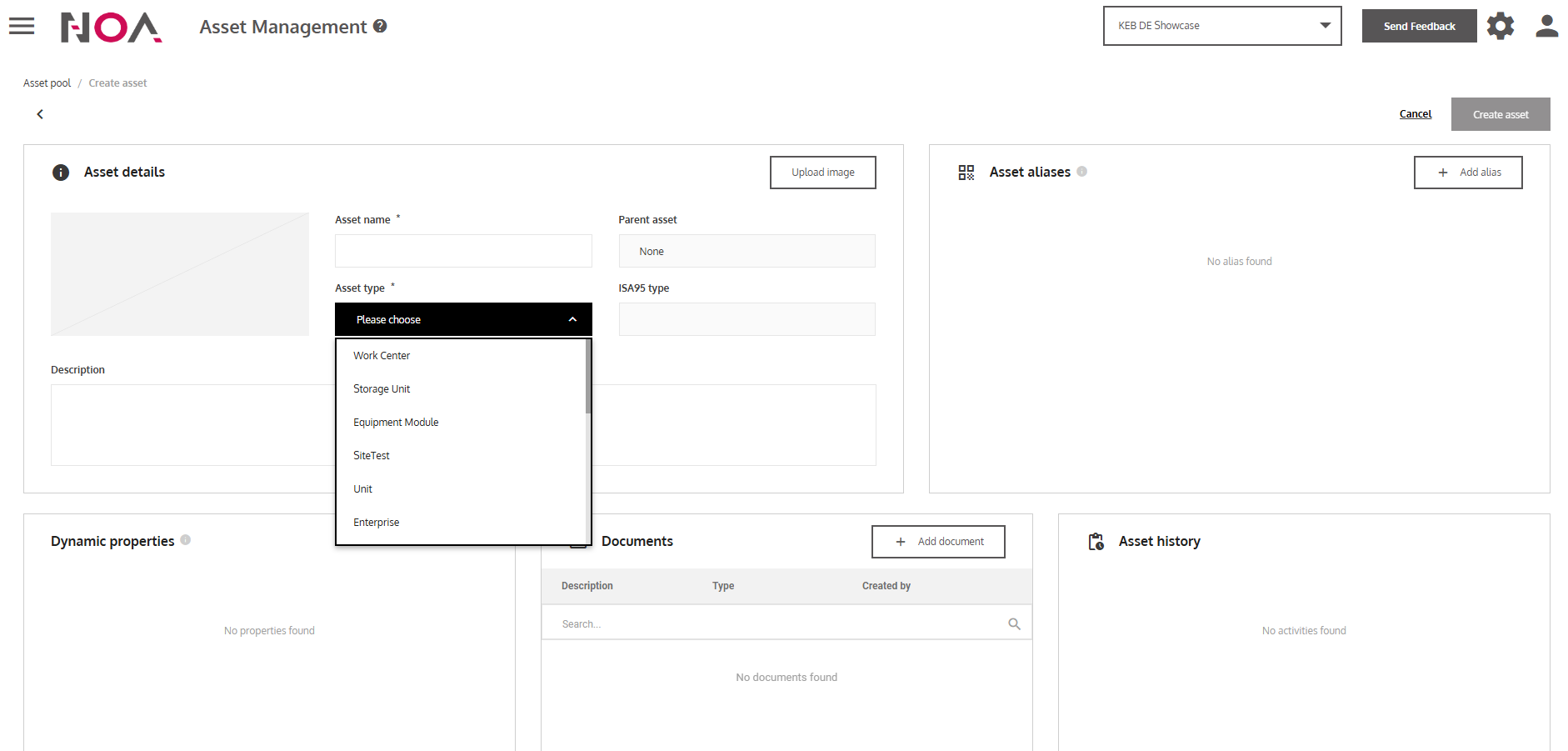
- Enter the information of your Asset
You need to enter at least the Asset name and the Asset Type. You need to create the Asset Type first before creating the Asset.
- Press Create asset
… to create the Asset.
Mission accomplished!
You have created an Asset. Use it in your App Builder Dashboards.