Check your Billing Information
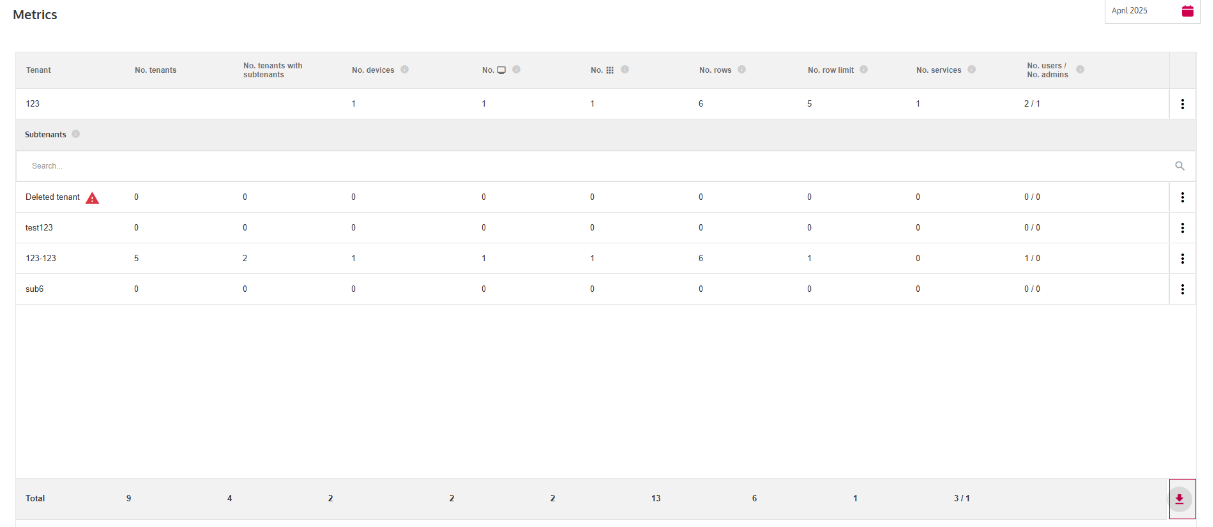
You can check billing relevant information or usage Metrics of your Tenant.
This guide shows you how to check your billing information and download the Metrics.json file containing the billing information. As
an OEM, this file is especially useful to see usage Metrics and automate the billing process of your endcustomer Tenants.
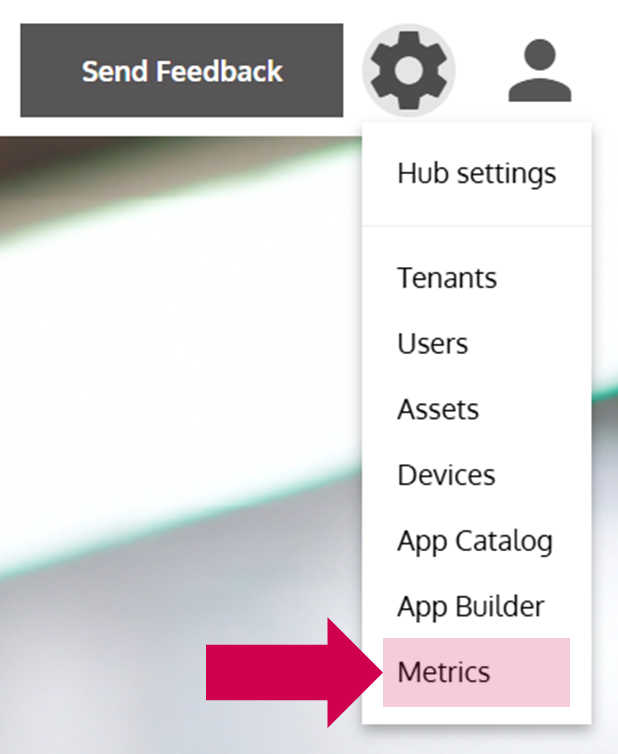
- Open Metrics
- Click on the Download icon on the bottom right
- Open the metrics.json file in your local PC´s Downloads folder
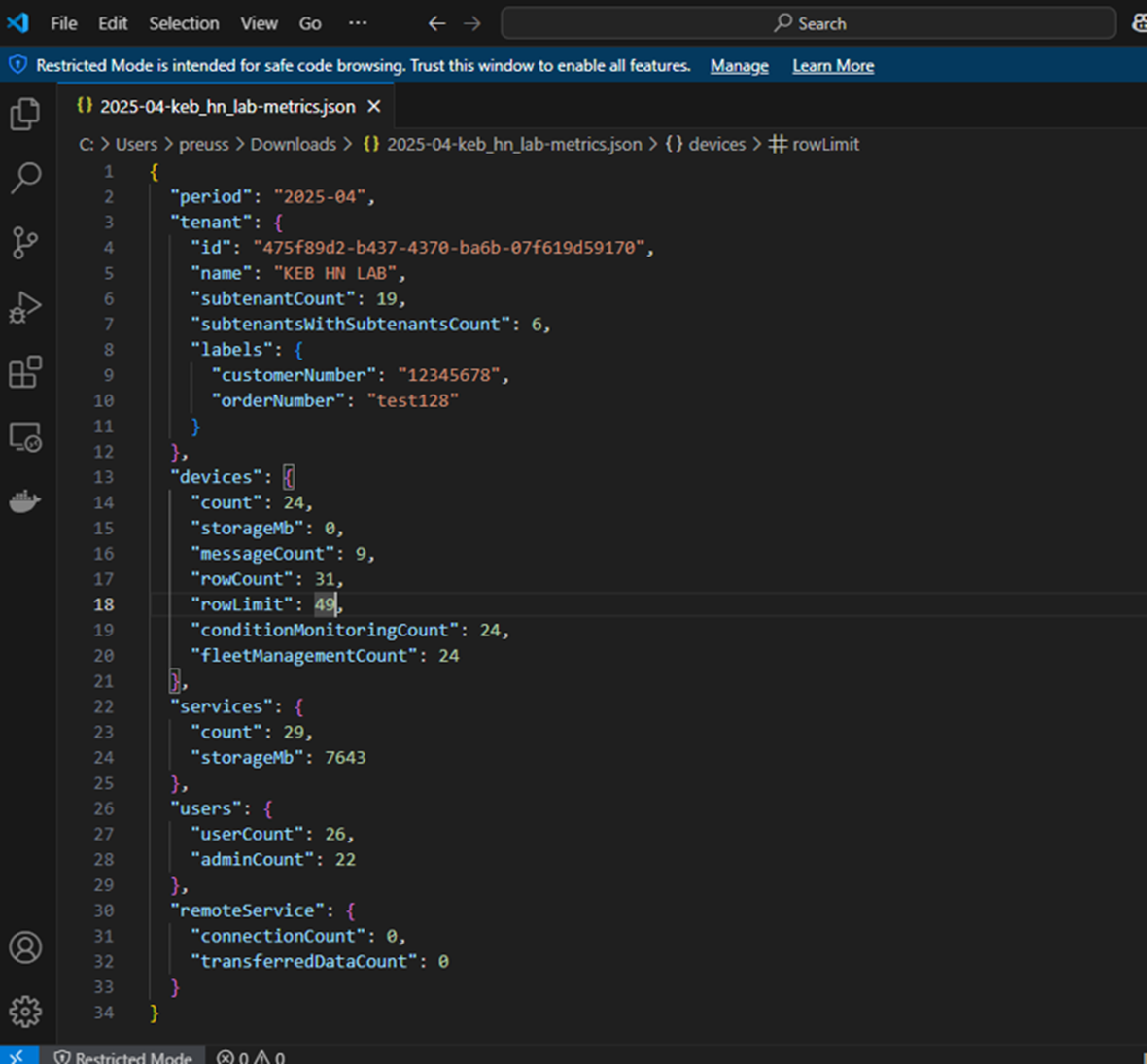
If you want to further automate your billing process, you can add a Customer Number to the metrics.json file (see labels in the Screenshot above). You can do this by adding Key Value Pairs in the Tenant Details.
Mission accomplished!
You have downloaded the Metrics.json file containing usage metrics of your Tenant or your Subtenants.