Codesys Control
Codesys Control provides a real-time environment to run PLC programs for machine control.
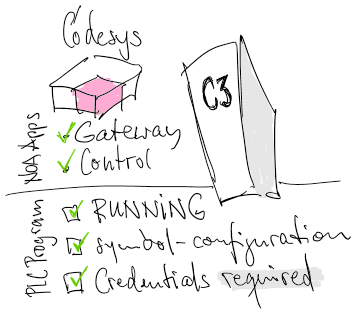
To establish a connection from the NOA Bus to a Codesys Control follow this checklist.
➡ For details see Set up C6C3 for Control
Check ...
- Codesys Gateway which is connected to the target device
- May be any Codesys Gateway on the network
- Install Codesys Gateway as NOA App if there is no other gateway available
- Codesys Control as NOA App
- Deploy a working PLC program to the target device in Codesys Control (use COMBIVIS Studio 6 for this)
- Provide a proper Symbol Configuration i.e. with some data exported (r/o or r/w), make sure at least one variable has at least read access
- Run it on the device (check for a green "RUN" indicator in COMBIVIS Studio 6)
- Install is as a boot-up program (menu "Online") if appropriate
- Set user name and password for "Secure Connection" in Codesys Communication app
- The C6 Compact 3 requires an authorized connection to the Codesys Runtime
- The username and password is set up in COMBIVIS Studio 6 upon first connection to the target device