License Manager

Add and return (delete) any licenses for NOA Apps e.g. Codesys Control.
⚠ Make sure the device is connected with the internet. Offline activation is not supported, yet.

Add a License
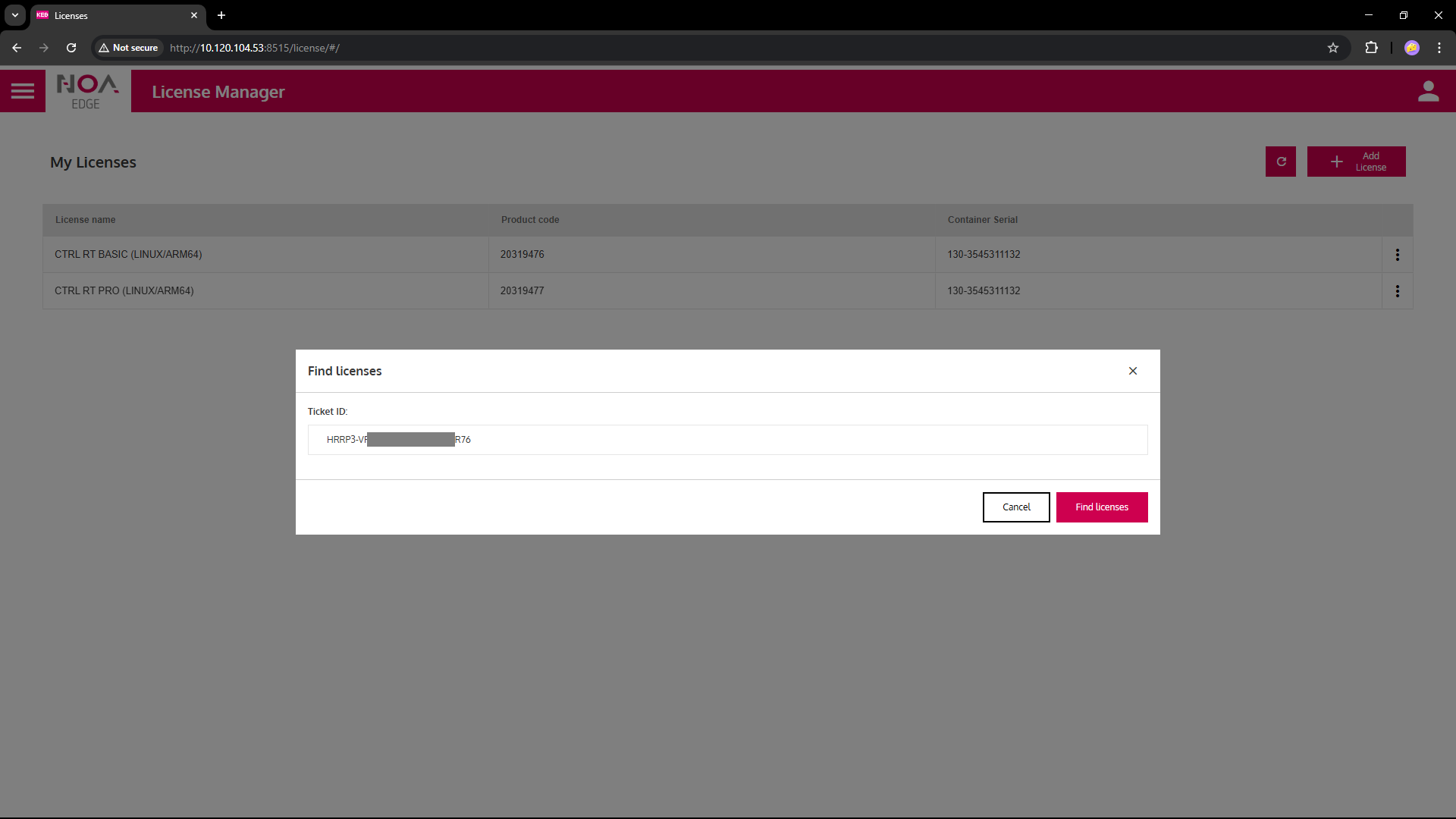
- Press "Add License" button, enter Ticket ID in corresponding field
- Select a license from the list (known limitation: only single-selection possible: repeat for multiple licenses)
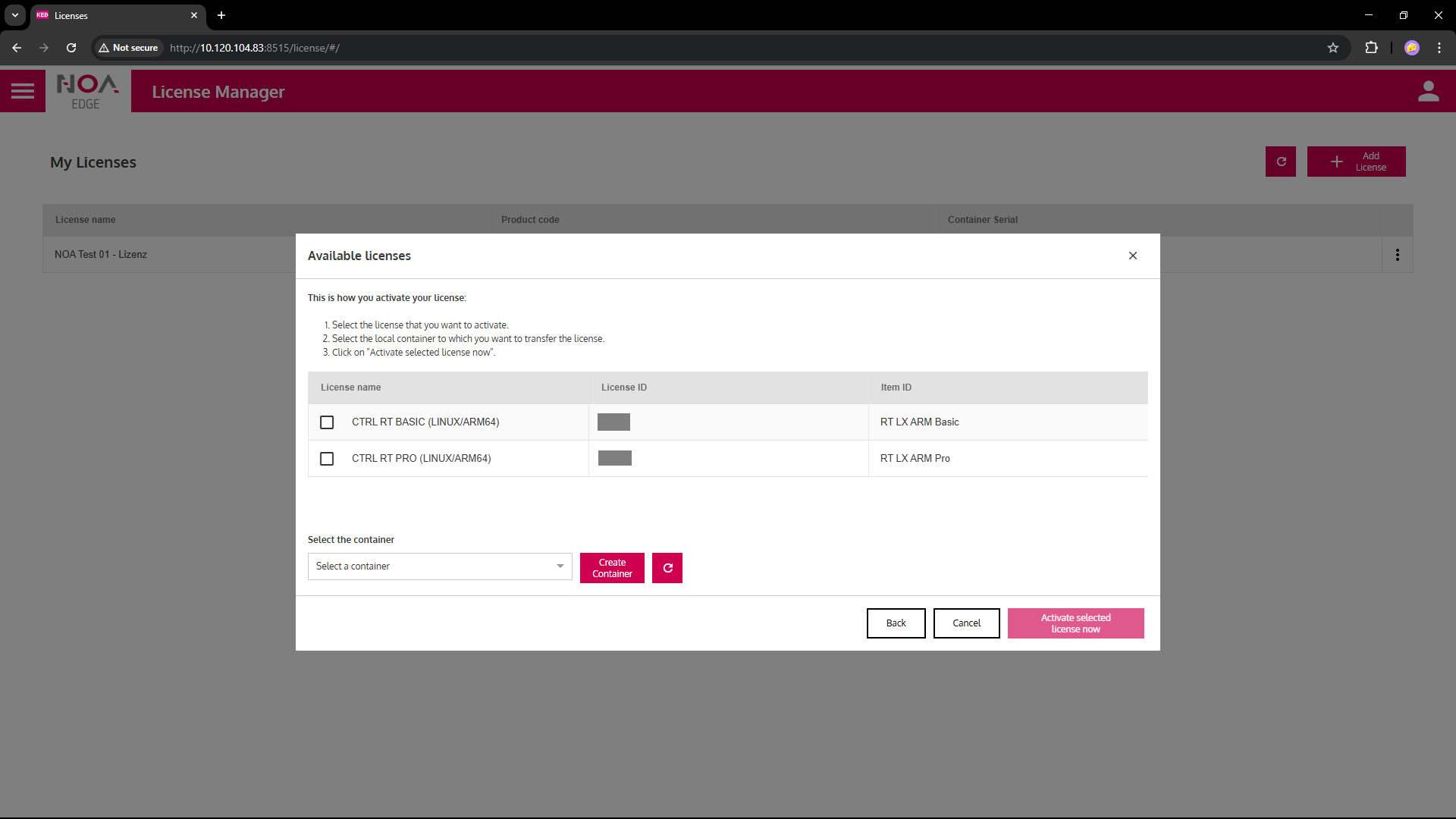
- If necessary: Create a new Container to store the licence(s)
- Activate the selected license now
- The license shows in the list
Return a License
❗ The license will be deleted from the device only: It is returned to the license pool and may be re-used afterwards.
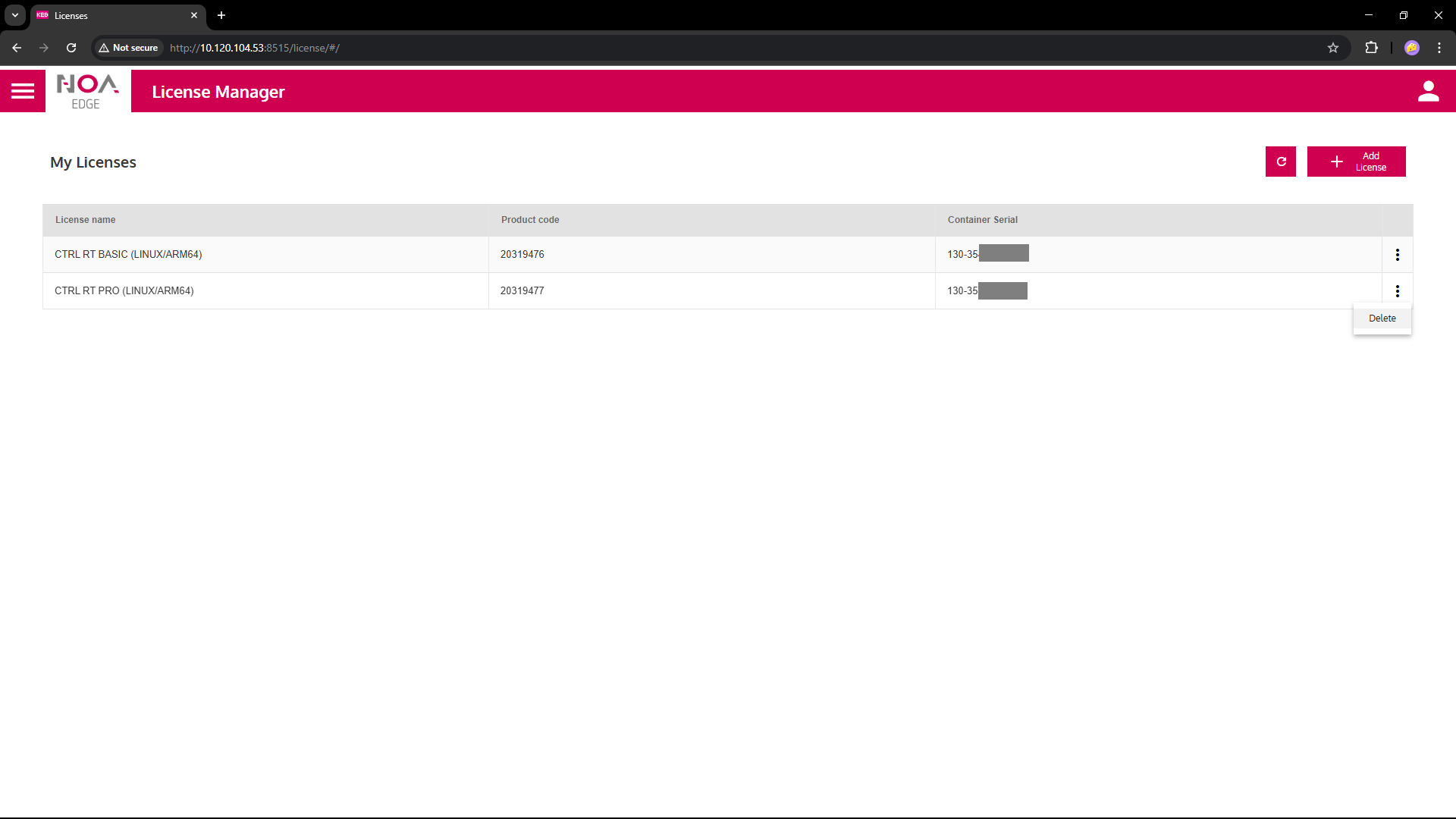
- Click on the three-dot menu on the right of a row and select "delete"
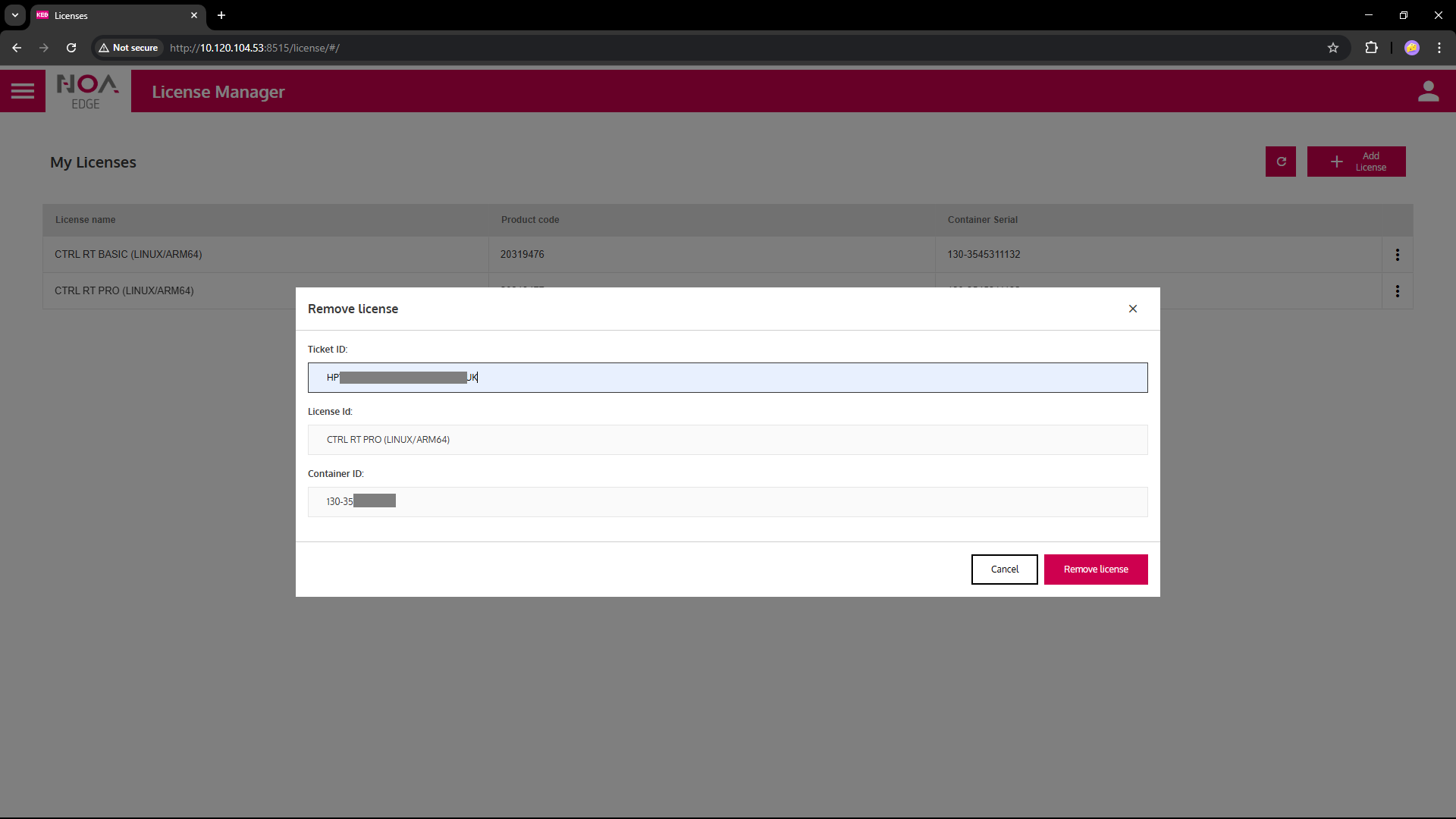
- Enter the Ticket ID you used when adding the license
Then click button "Remove License"
- When the license was returned sucessfully the row is removed from the list "My Licenses"