S7 Communication
Communication apps provide data from a source to the NOA bus, e.g. for telemetry in NOA Portal or building a (HELIO HMI -- /NOA-Documentation/HELIO-HMI-Development).
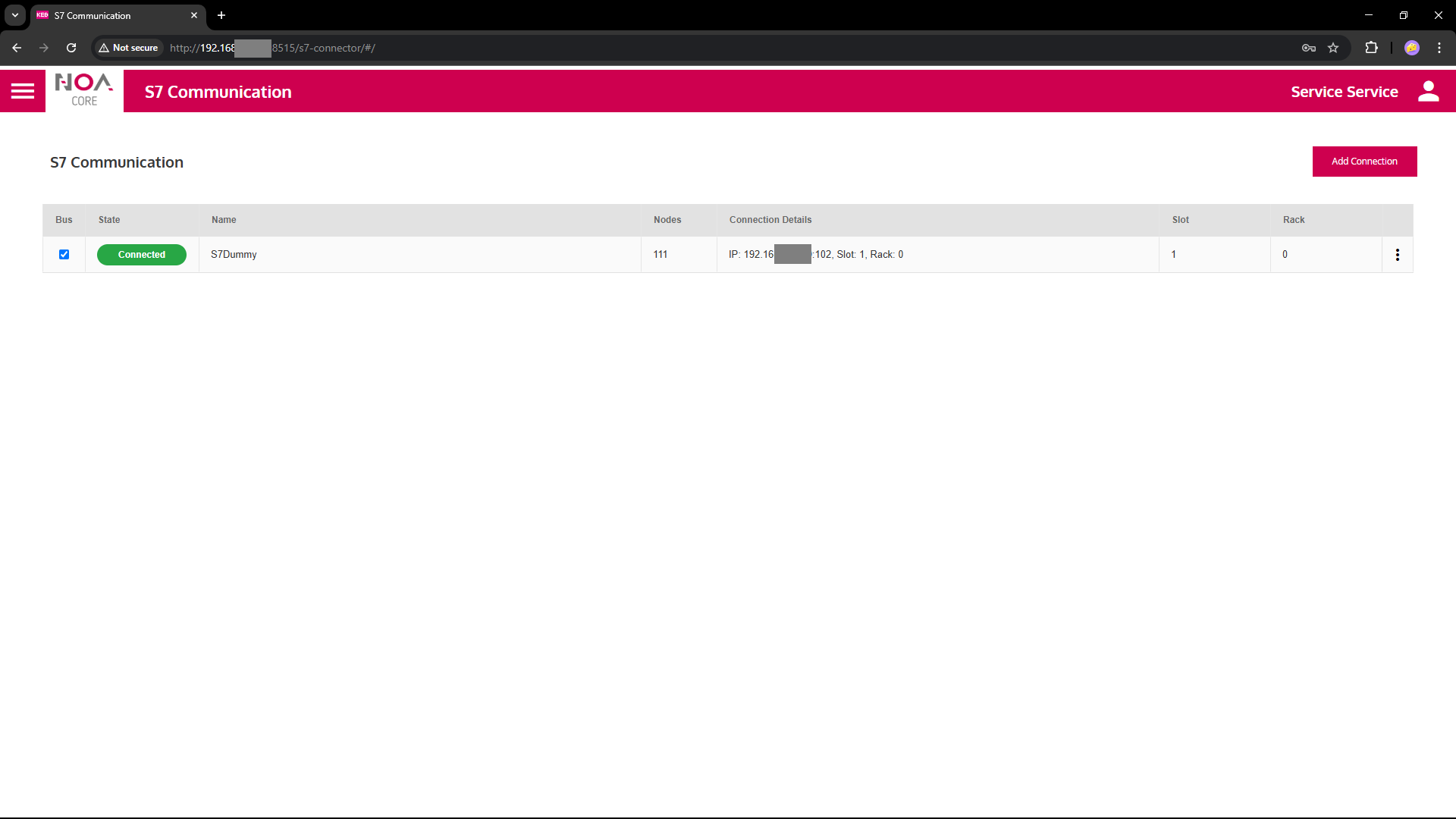
The S7 Communication establishes a connection to a SIEMENS controller via the S7 protocol.
Configure the parameters as below.
Upon success the service
- Shows the device's .... name big on top
- Shows "Connected" in the green pill right next to it (this pill shows the connection status in general)
- Starts reading data as soon as it is configured correctly
Prerequisites
To establish a S7 Communication the following must be available
- TIA Export of the symbol configuration .... ### HOW-TO? see below
- enable put-get in TIA portal
- don't use special characters, they may have special meaning, e.g.
[and](these are interpreted as arrays)
- Target Device (controller) ... with S7 enabled ...#### ?
- ... more?!
Parameters
Take most of the parameters from TIA portal and insert in the app's configuration.
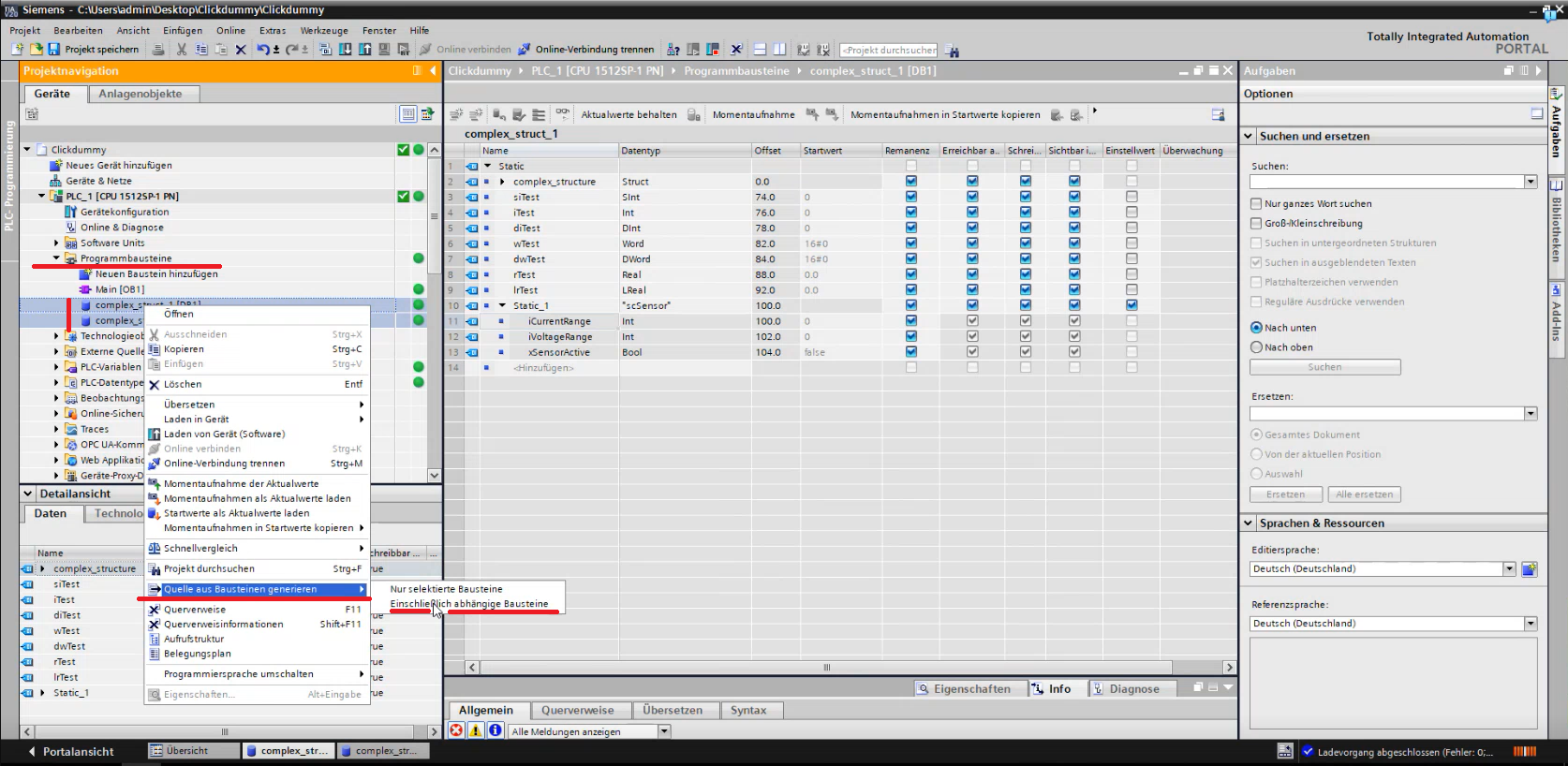
Export the definition of "Data Blocks" i.e. the symbols to expect in each block as ".db" file from TIA Portal.
| Variable | Data Type | Description |
|---|---|---|
| General | ||
| Name | Descriptive Name for each connection | This name will be used as root node for this connection e.g. in Data Explorer and HELIO NOA Connection |
| Sampling Rate | How often data is expected from this connection | This is a hint to the communication app; it is up to the app if it can fulfil this sampling rate. The communication will send data at it's own discretion. |
| Device Settings | ||
| Address | IP address | IP address of the S7 device |
| Slot | Integer | #### descrition ### |
| Rack | Integer | #### descrition ### |
| Data Blocks | Symbol Definition | Import the ".db" file from TIA |
| Output values | read-only | |
| ## Name | String | Codesys Name as returned on successful connection |
| ## Connected | Boolean | Reflects the state of the connection: TRUE iff the connection is completely established |
| ## Connection Status | String | Reflects the detailed state of the connection, shown in the pill on top of the screen ('Disconnecting', 'Connecting', 'Connected', 'Connection Failed', 'Timeout Error', 'Connect Error', 'Config Error', 'Unknown Error') |
Example Settings
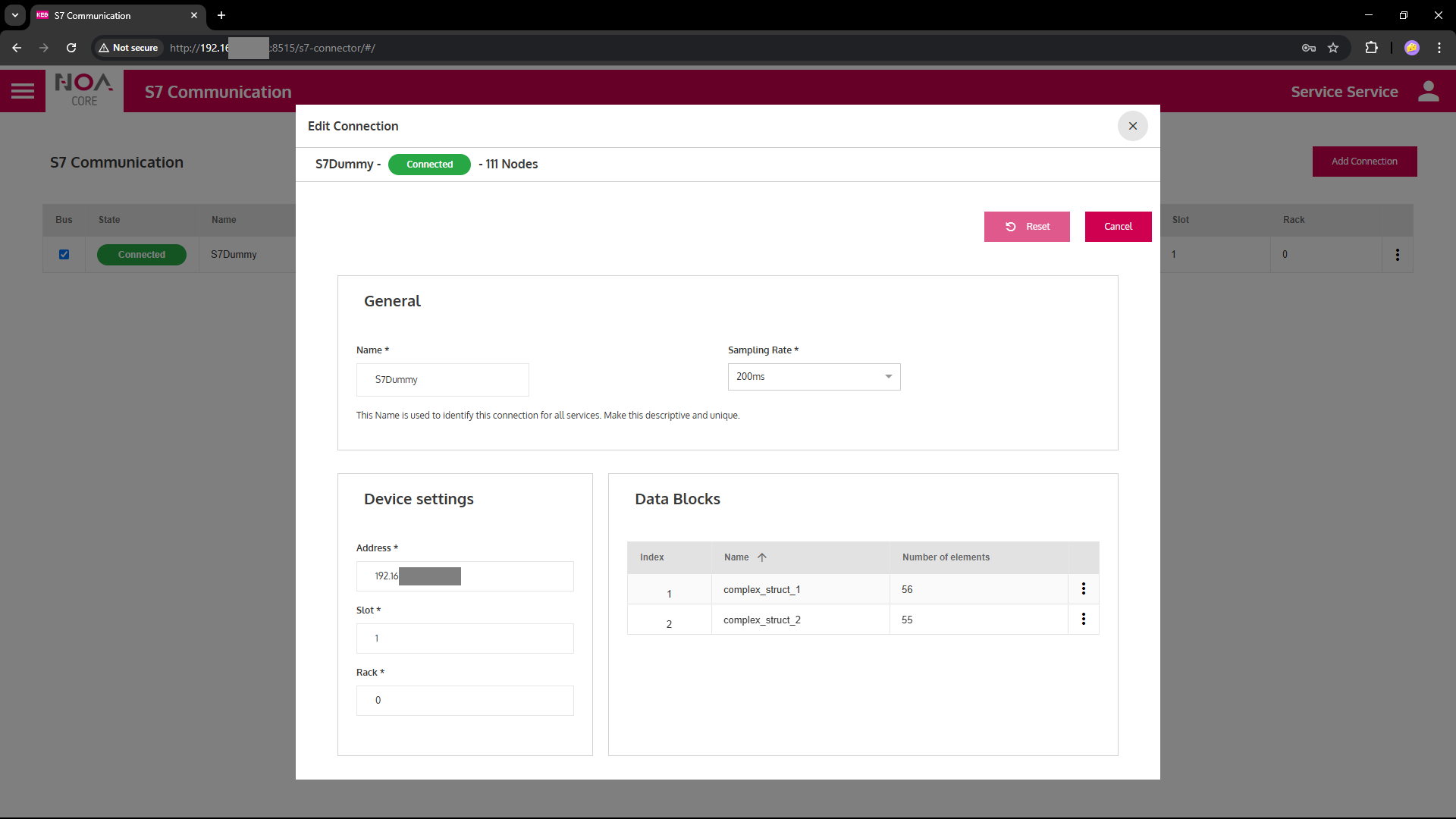
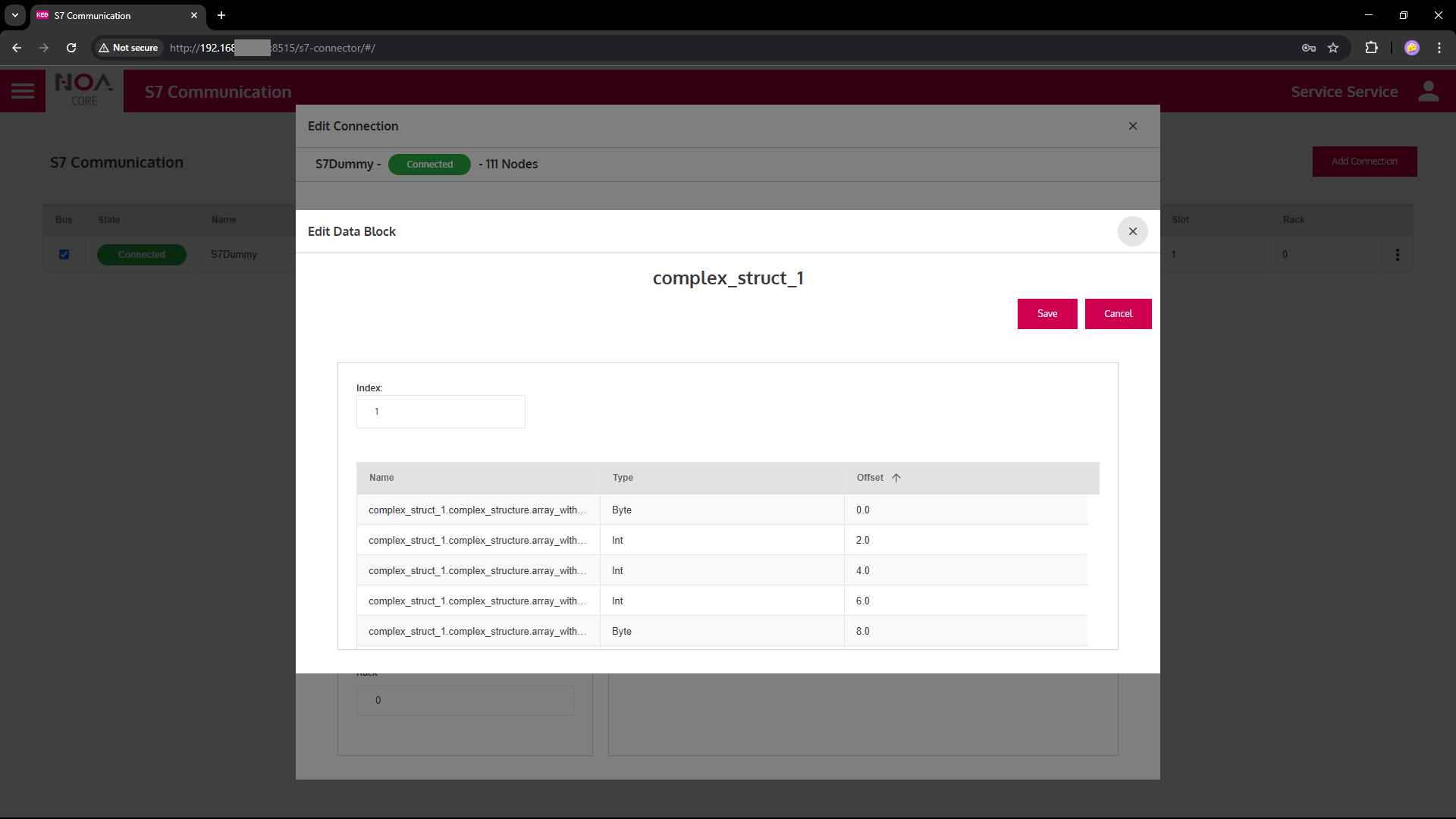
- Enter the Index Number for each block
- Double check with the TIA portal
TIA Export
Troubleshooting
Potential S7 Errors
- ....