OPC UA Communication
Communication apps provide data from a source to the NOA bus, e.g. for telemetry in NOA Portal or building a HELIO HMI.
The OPC UA Communication establishes a connection to any OPC UA Server e.g. running on a controller.
- KEB Controllers running Codesys Control on Windows (CE), e.g. the C6 Smart, can enable an additional OPC UA Server (this may require an additional license)
- KEB provides a BETA of an OPC UA Server for Linux devices --> ask Systems Group
- Third party controllers may also allow to enable an OPC UA Server, e.g. SIEMENS, Beckhoff, ...
- An OPC UA Server may be simulated for testing, see (Capabilities HELIO and NOA (OPC UA) -- /NOA-Internal-Documentation/OPC-UA-Communication/Capabilities-HELIO-and-NOA-(OPC-UA)) for examples
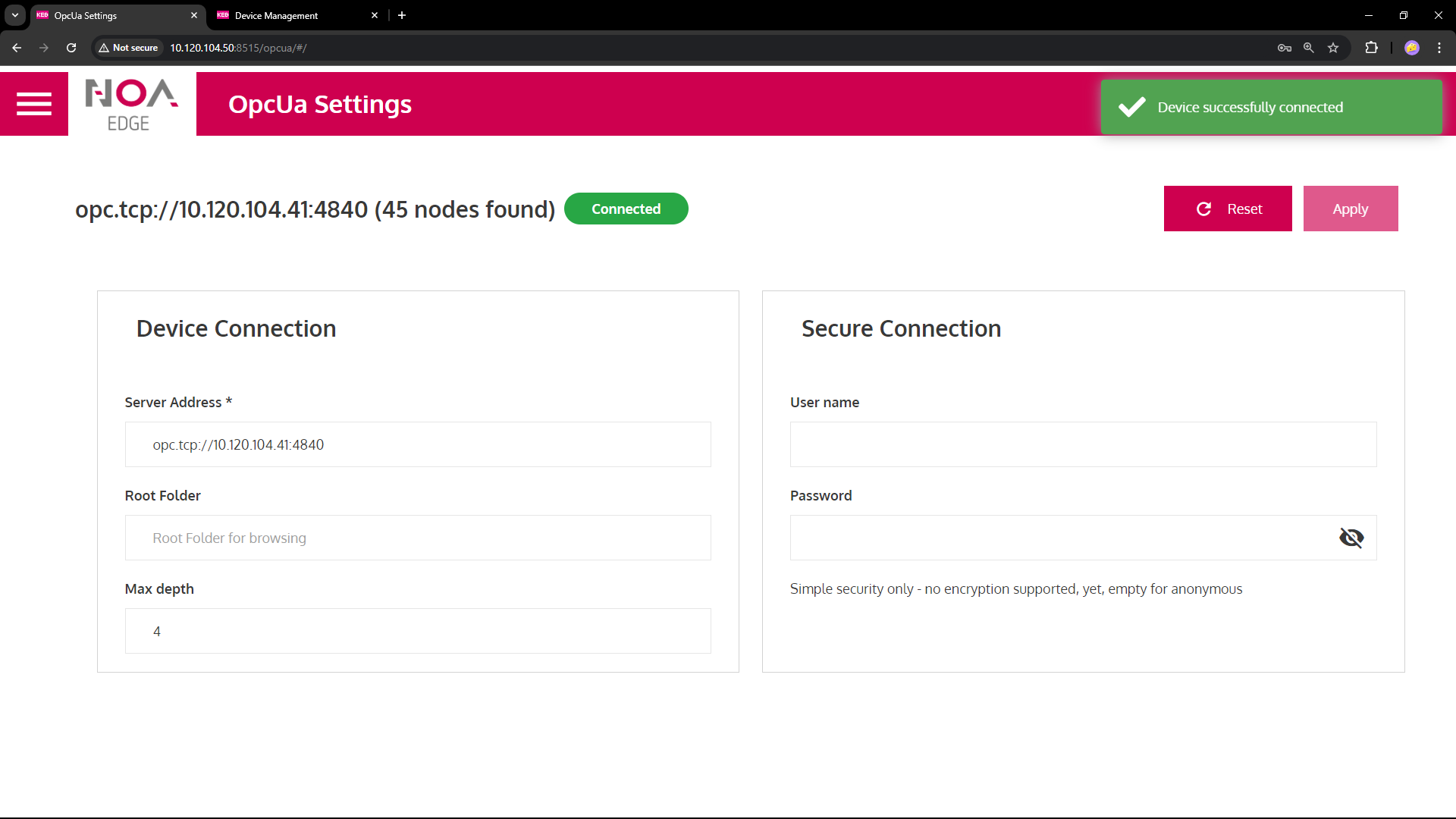
Configure the parameters as below. Upon success the service
- Shows the device's URL big on top, e.g.
opc.tcp://10.120.104.51:4840 - Starts reading the data tree immediately and shows the number of found nodes; this number keeps .... what? ...
- Shows "Connected" in the green pill right next to it (this pill shows the connection status in general)
- Parsing the tree may take a long time if the OPC UA server contains (too) much data
- Use
RootFolderto read only a part of this tree
- Use
⚠ Press the button "Test" to check if the OPC UA Server is available.
This will also fill out the server capabilities for "Authentication", "Message Security" and "Certificate Information"
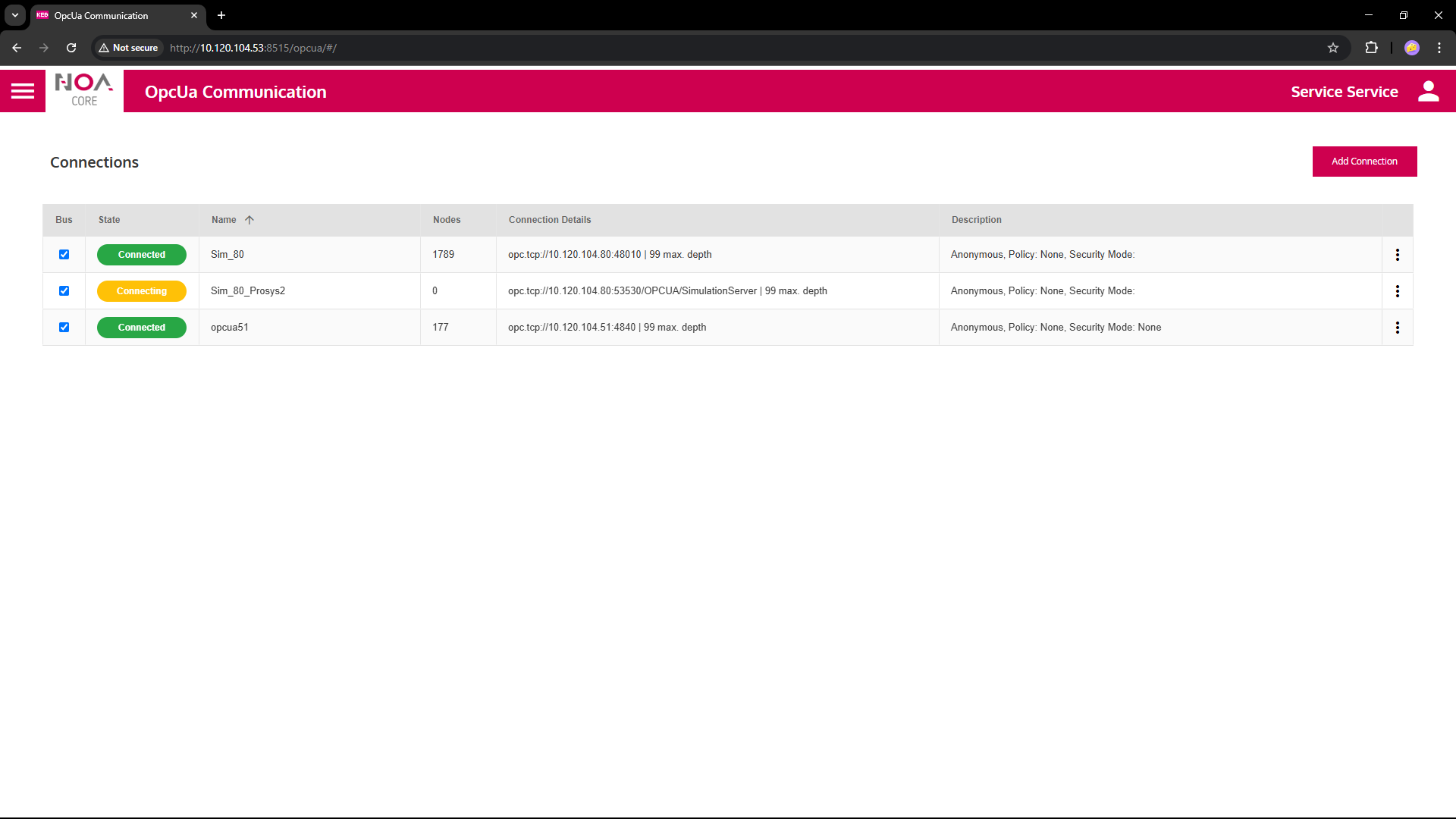
Prerequisites
- Configure the OPC UA Server properly e.g. for users and message security
- Configuration depends on the OPC UA Server
- An OPC UA Server usually publishes some information even without a PLC Program running
- To access any PLC data make sure a program is running end exports the needed variables
- To enable a Codesys OPC UA Server simply check the corresponding option, e.g. in COMBIVIS studio 6 > Symbol Configuration > Settings (make sure you have a license)

Parameters
- Example URL
opc.tcp://10.120.104.51:4840/OPCUA/Server
| Variable | Data Type | Description |
|---|---|---|
| Server Address | URL | URL which gives access to the OPC UA server, typically consists of protocol opc.tcp://, device IP address 10.120.104.51 and OPC UA port 4840; may contain an additional path /OPCUA/Server |
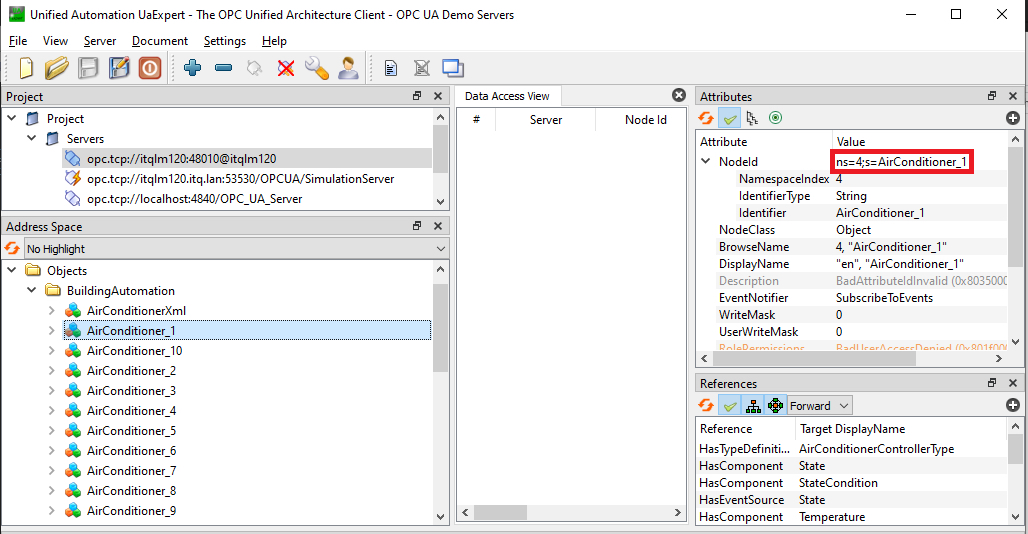
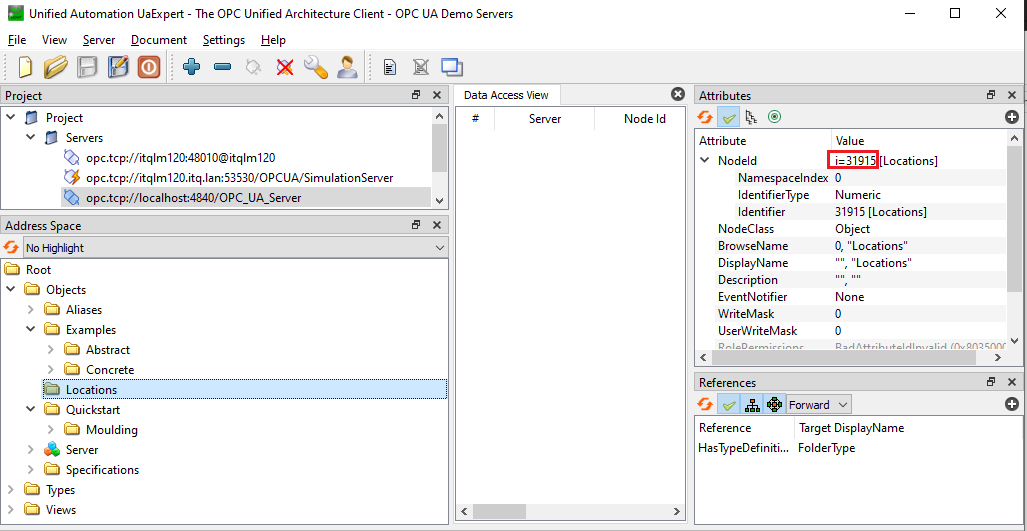
| Root Folder | OPC UA Node Identifier | Start scanning the OPC UA tree from this node; copy the node identifier from OPC UA server here, ns=4;s=AirConditioner_1 or i=31915 see screenshots below |
| Max Depth | Number | Number of levels to search from "Root Node" in the OPC UA data tree downwards; this is to limit the amount of data to fetch from the OPC UA server |
| Secure Connection | Authentication | Leave empty for anonymous access |
| User Name | String | Username as used by OPC UA server |
| Password | String | Password as used by OPC UA server |
| Output values | read-only | |
| Nodes Count | Integer | Shows the number of nodes parsed so far; status is "Browsing", done when "Connected" |
| Connection Status | String | Reflects the detailed state of the connection, shown in the pill on top of the screen |
Example Settings
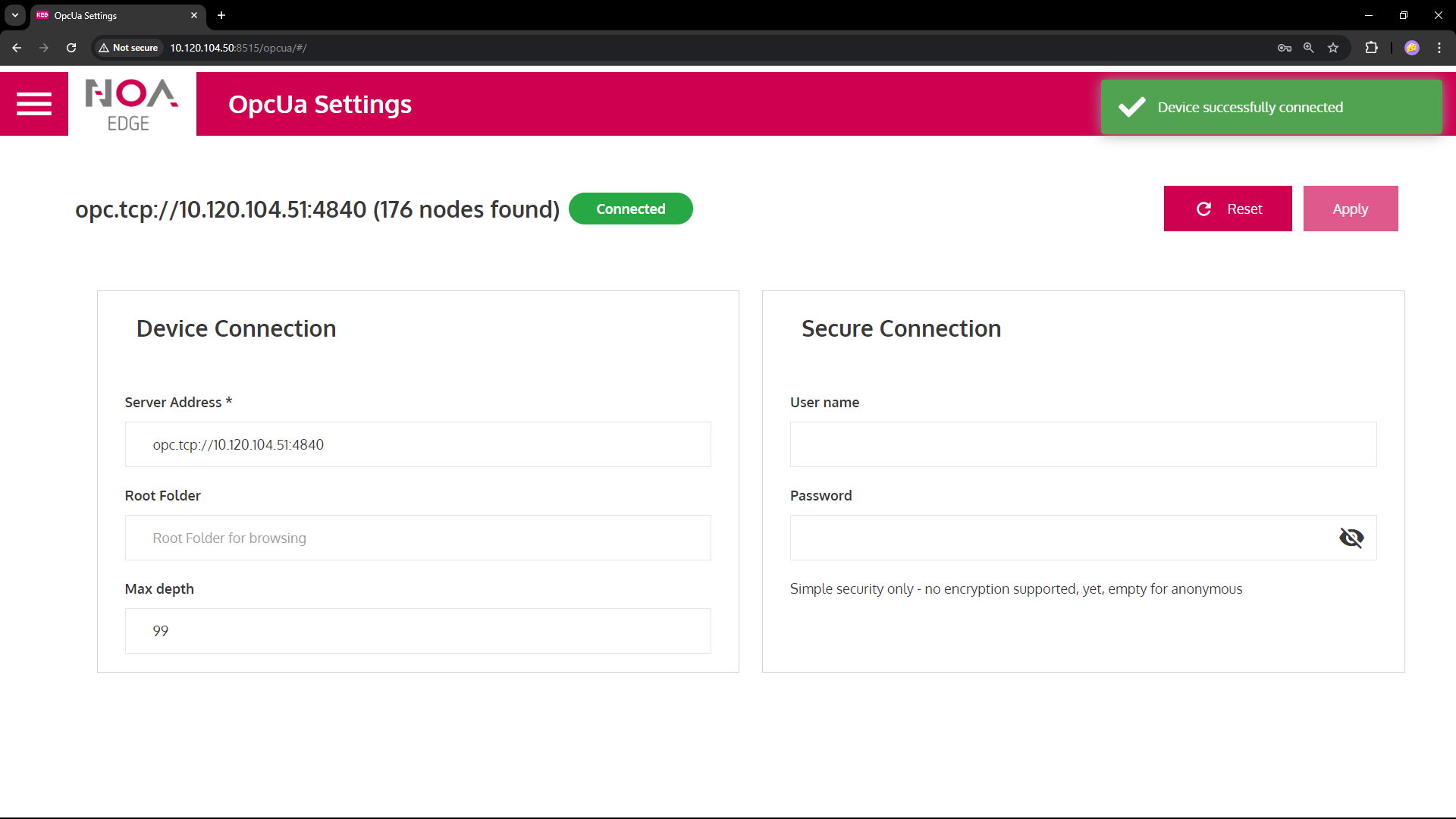
C6 Smart OPC UA Server Anonymous
Anonymous connection; browse the OPC UA tree from the root up to 99 levels deep
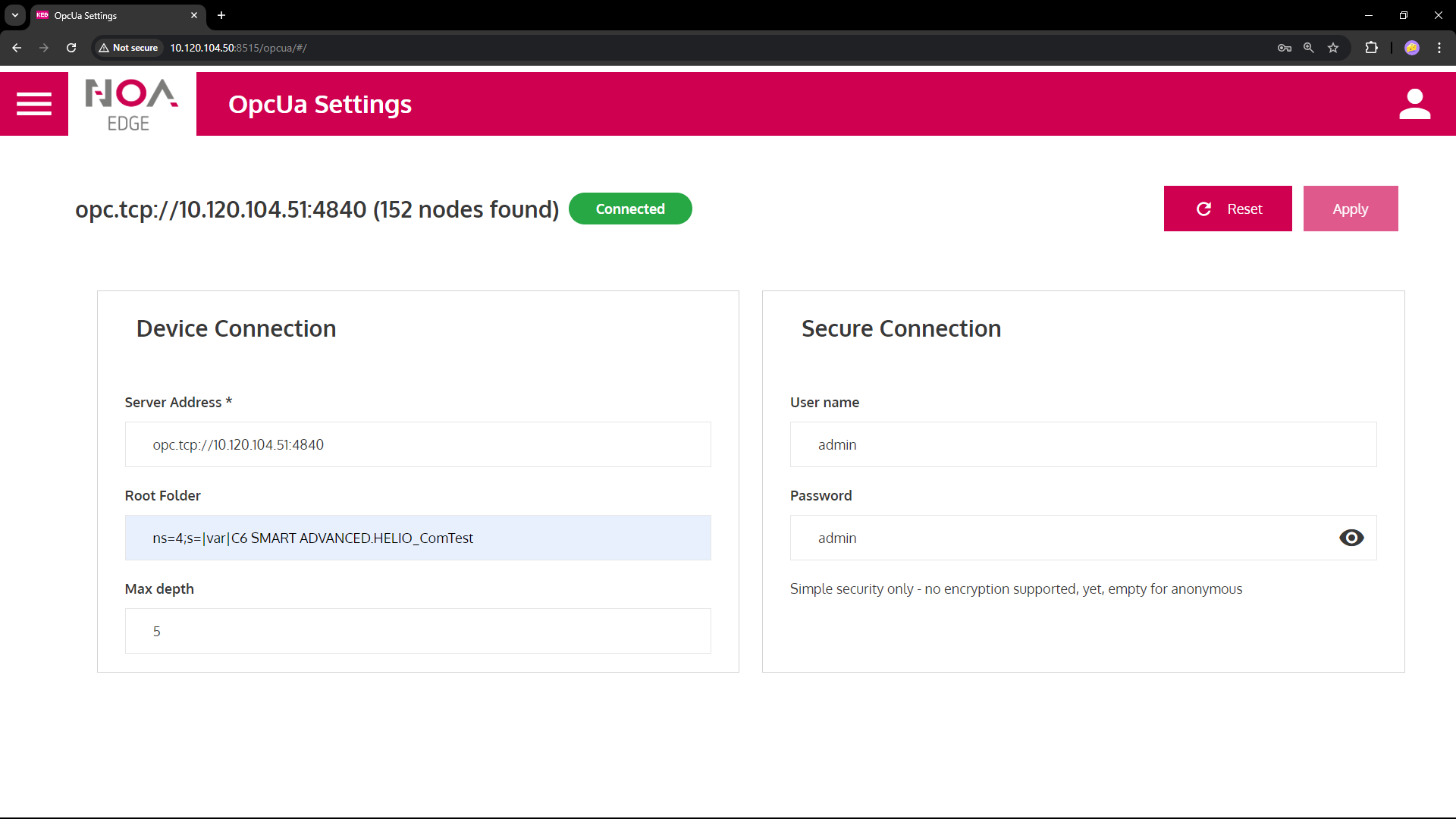
C6 Smart OPC UA Server Authenticated
authentication to access (same as set in COMBIVIS Studio 6), starting from application node HELIO_ComTest, going 5 levels deep. Note the number of nodes on top changed
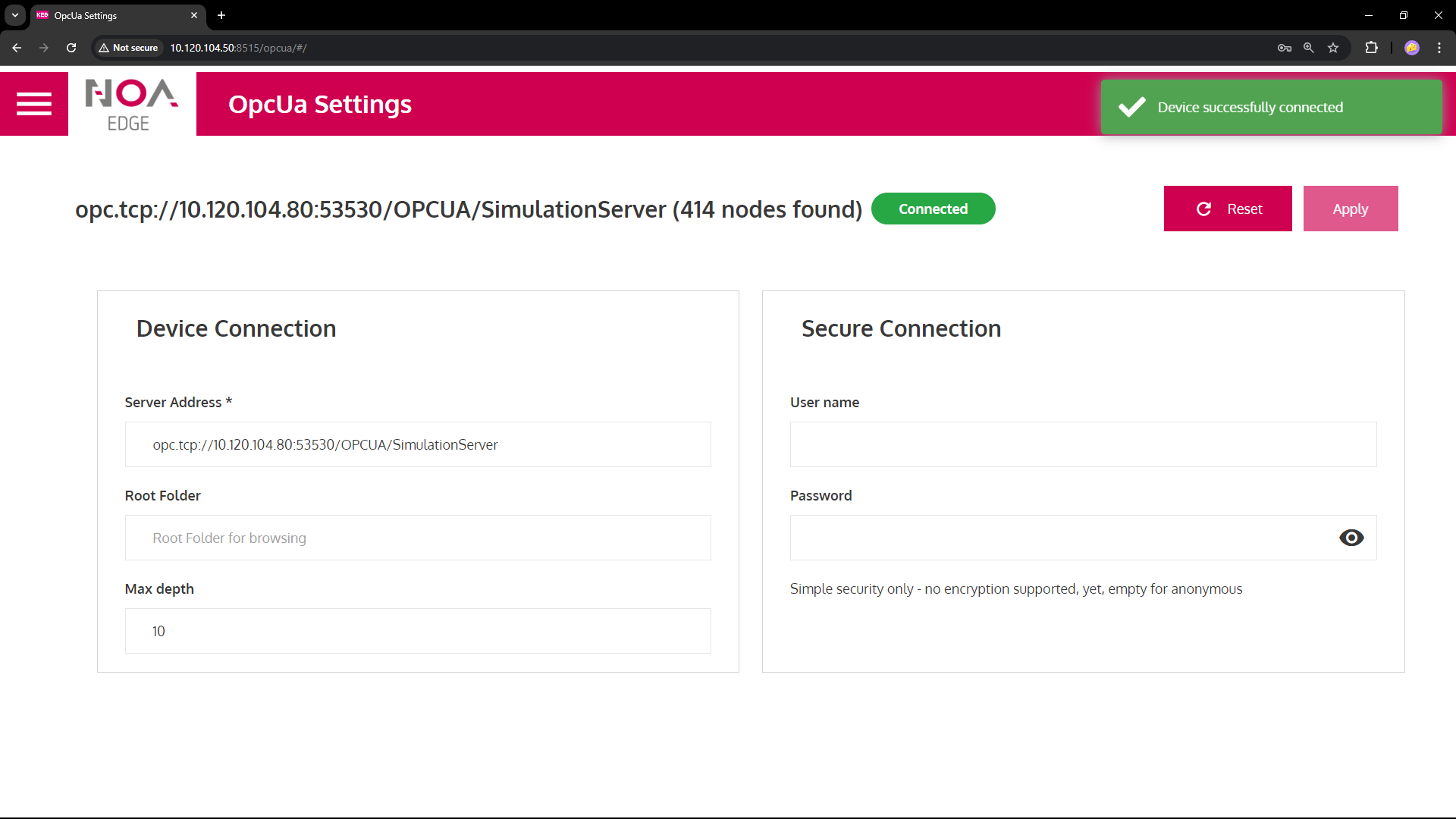
Prosys OPC UA Simulation
uses the non-default port 53530 and requires a path
Python OPC UA Demo
running on 10.120.104.41
Finding an OPC UA Node ID
| UaExpert: Copy node id as indicated in the screenshots (right click) | |
 |  |
Troubleshooting
- OCP UA is a complex communication protocol, so not all features are supported
- When you encounters such an issues, please report to support
- See (Supported Features -- /NOA-Internal-Documentation/OPC-UA-Communication/Supported-Features)