OPC UA Server
Provides an OPC UA server where the data on the NOA bus can be accessed.
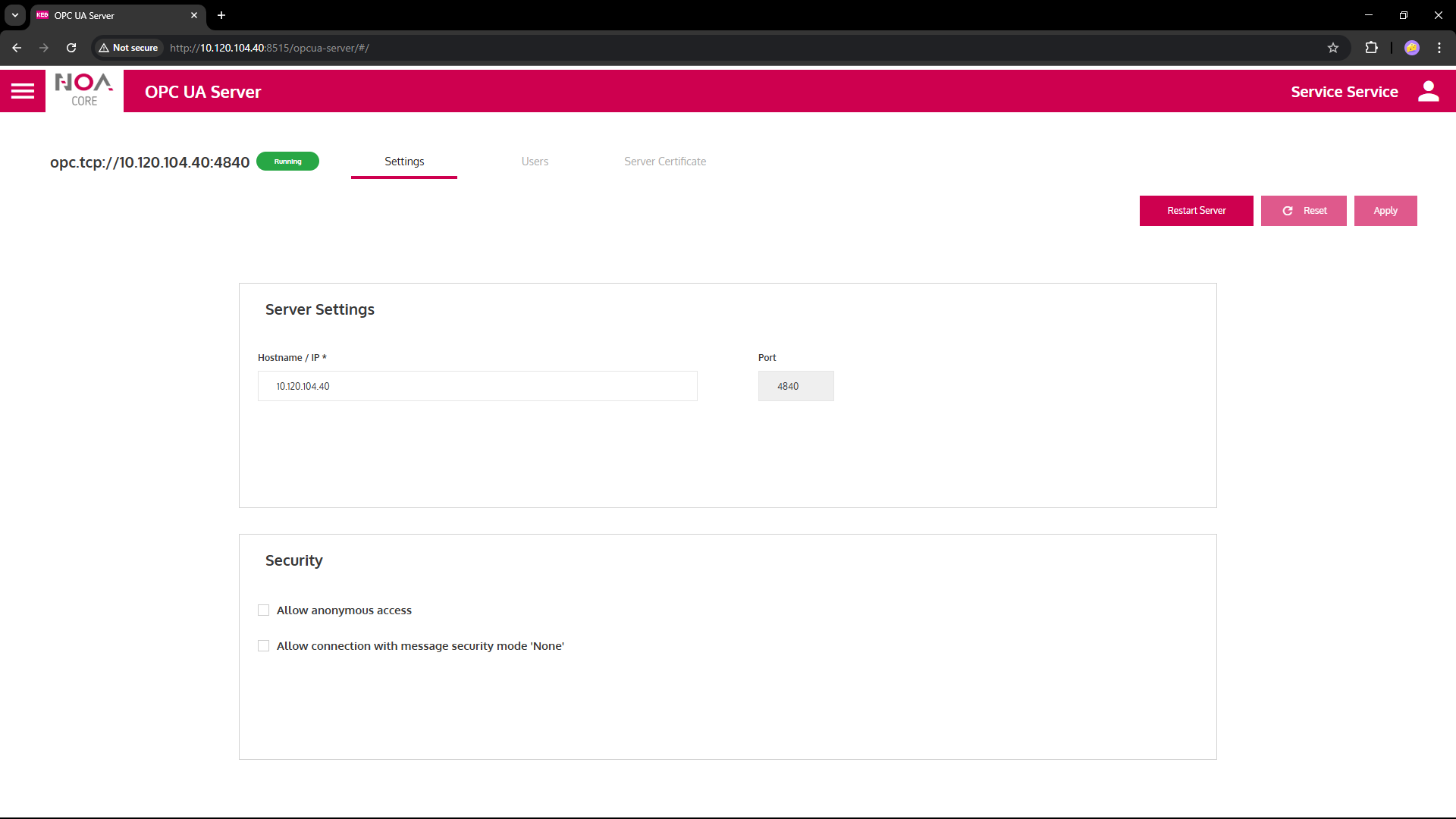
For the server to work correctly
- Add an user or enable Anonymous access
- Select variables that this user can read and/or write
Security
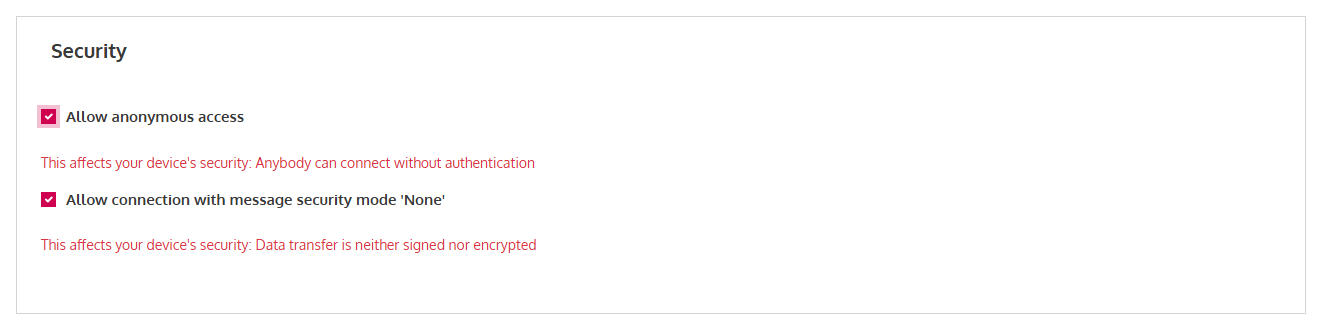
Enable Anonymous Access
⚠ Anonymous access impairs the security of the OPC UA server.
Access to all the data is allowed without authentication with the user "Anonymous". In this case no nodes must be selected in the "Users" tab.
No message encryption
⚠ Setting message encryption to "None" impairs the security of the OPC UA server.
Any data will be sent without encryption allowing potential access for everyone.
Users and Data Access
Switch to the tab "Users".
Add a new user
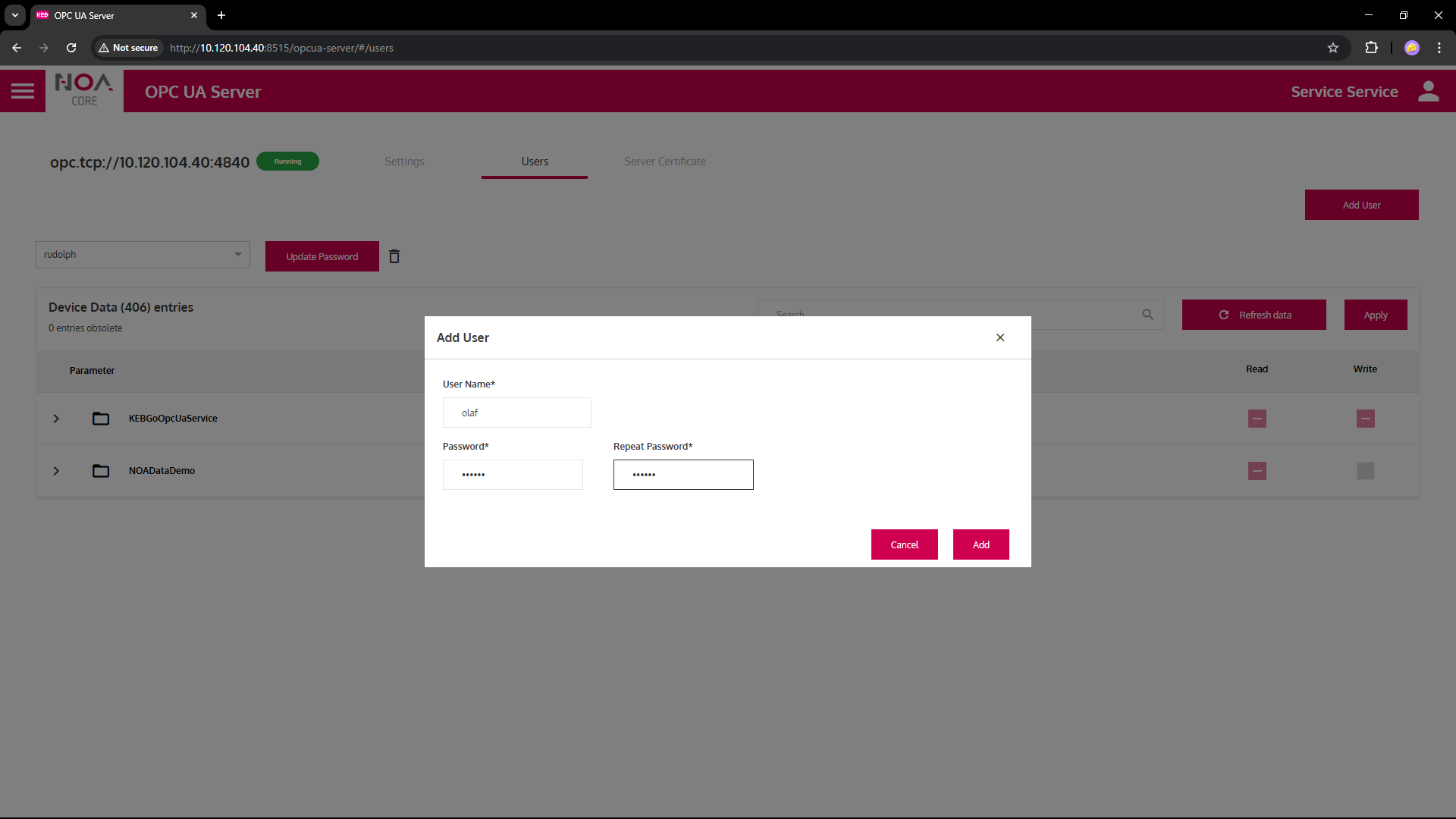
- Click "Add User"
- Set a user name -- this must be unique
- Provide the password (enter it twice)
Set data access for users
- Select the user from the user dropdown
- If ther is no Device Data shown: click "Refresh Data"
- Open the tree with available data
- Select the variables the user can access: either only "Read" or additionally "Write"
- Click "Apply" to save the selected variables
Notes
- Limitation: Variables can only be selected one-by-one
- Indication on the directories if data is selected below will only appear after clicking "Apply"
- When the available variables change in the connectors: Click "Refresh data" (again) to update the Device Data tree